<?xml version="1.0" encoding="utf-8"?>
<feed xmlns="http://www.w3.org/2005/Atom">
    <id>https://www.aicentos.com</id>
    <title>aicentos</title>
    <updated>2026-05-13T01:43:42.444Z</updated>
    <generator>https://github.com/jpmonette/feed</generator>
    <link rel="alternate" href="https://www.aicentos.com"/>
    <subtitle>AI Coding 中转站 - 支持 Claude、Codex 模型在多种平台使用</subtitle>
    <logo>https://www.aicentos.com/img/logo.jpg</logo>
    <icon>https://www.aicentos.com/img/logo.svg</icon>
    <rights>Copyright © 2026 aicentos</rights>
    <entry>
        <title type="html"><![CDATA[AGENTS]]></title>
        <id>https://www.aicentos.com/AGENTS</id>
        <link href="https://www.aicentos.com/AGENTS"/>
        <updated>2026-05-13T01:43:42.657Z</updated>
        <summary type="html"><![CDATA[<h1 id="aicentos-项目文档-agents-md" tabindex="-1">aicentos - 项目文档 (AGENTS.md) <a class="header-anchor" href="#aicentos-项目文档-agents-md" aria-label="Permalink to &quot;aicentos - 项目文档 (AGENTS.md)&quot;">&ZeroWidthSpace;</a></h1>
<h2 id="项目愿景" tabindex="-1">项目愿景 <a class="header-anchor" href="#项目愿景" aria-label="Permalink to &quot;项目愿景&quot;">&ZeroWidthSpace;</a></h2>
<p>aicentos 是一个 <strong>AI Coding 中转站</strong>，支持 Codex、Codex 等主流 AI 模型在多种平台使用。本仓库包含两个核心部分：</p>
<ol>
<li><strong>文档站</strong> (VitePress) -- 面向用户的多语言文档门户，部署于 <code>https://www.aicentos.com/</code></li>
<li><strong>Landing Page</strong> (Deno) -- 独立的单文件 Deno 服务器，服务于 <code>https://www.aicentos.com/</code> 主站着陆页</li>
</ol>
<h2 id="架构总览" tabindex="-1">架构总览 <a class="header-anchor" href="#架构总览" aria-label="Permalink to &quot;架构总览&quot;">&ZeroWidthSpace;</a></h2>
<ul>
<li><strong>技术栈</strong>: VitePress 1.x + Vue 3 + TypeScript + Deno</li>
<li><strong>构建工具</strong>: pnpm + Vite (VitePress 内置)</li>
<li><strong>部署</strong>: GitHub Pages (文档站，通过 GitHub Actions) + Vercel (额外部署配置) + Deno Deploy (Landing Page)</li>
<li><strong>国际化</strong>: 5 种语言 -- 简体中文 (默认)、English、Francais、Espanol、Portugues</li>
<li><strong>功能增强</strong>: PWA (workbox)、RSS/Atom Feed 生成、Sitemap、图片缩放 (medium-zoom)、代码块分组图标</li>
</ul>
<h2 id="模块结构图" tabindex="-1">模块结构图 <a class="header-anchor" href="#模块结构图" aria-label="Permalink to &quot;模块结构图&quot;">&ZeroWidthSpace;</a></h2>
<div class="language-mermaid vp-adaptive-theme"><button title="Copy Code" class="copy"></button><span class="lang">mermaid</span><pre class="shiki shiki-themes github-light github-dark vp-code" tabindex="0" v-pre=""><code><span class="line"><span style="--shiki-light:#24292E;--shiki-dark:#E1E4E8">graph TD</span></span>
<span class="line"><span style="--shiki-light:#24292E;--shiki-dark:#E1E4E8">    A["(根) https://www.aicentos.com/"] --> B[".vitepress/"];</span></span>
<span class="line"><span style="--shiki-light:#24292E;--shiki-dark:#E1E4E8">    A --> C["deno/"];</span></span>
<span class="line"><span style="--shiki-light:#24292E;--shiki-dark:#E1E4E8">    A --> D["内容目录 (*.md)"];</span></span>
<span class="line"><span style="--shiki-light:#24292E;--shiki-dark:#E1E4E8">    A --> E["public/"];</span></span>
<span class="line"><span style="--shiki-light:#24292E;--shiki-dark:#E1E4E8">    A --> F[".github/workflows/"];</span></span>
<span class="line"></span>
<span class="line"><span style="--shiki-light:#24292E;--shiki-dark:#E1E4E8">    B --> B1["config.mts"];</span></span>
<span class="line"><span style="--shiki-light:#24292E;--shiki-dark:#E1E4E8">    B --> B2["theme/"];</span></span>
<span class="line"><span style="--shiki-light:#24292E;--shiki-dark:#E1E4E8">    B2 --> B2a["index.ts"];</span></span>
<span class="line"><span style="--shiki-light:#24292E;--shiki-dark:#E1E4E8">    B2 --> B2b["components/"];</span></span>
<span class="line"><span style="--shiki-light:#24292E;--shiki-dark:#E1E4E8">    B2b --> B2b1["AnnouncementBar.vue"];</span></span>
<span class="line"><span style="--shiki-light:#24292E;--shiki-dark:#E1E4E8">    B2b --> B2b2["BackToTop.vue"];</span></span>
<span class="line"><span style="--shiki-light:#24292E;--shiki-dark:#E1E4E8">    B2b --> B2b3["ModelCards.vue"];</span></span>
<span class="line"><span style="--shiki-light:#24292E;--shiki-dark:#E1E4E8">    B2b --> B2b4["ToolWizard.vue"];</span></span>
<span class="line"><span style="--shiki-light:#24292E;--shiki-dark:#E1E4E8">    B2b --> B2b5["Timeline.vue"];</span></span>
<span class="line"><span style="--shiki-light:#24292E;--shiki-dark:#E1E4E8">    B2 --> B2c["NotFound.vue"];</span></span>
<span class="line"><span style="--shiki-light:#24292E;--shiki-dark:#E1E4E8">    B2 --> B2d["style.css + dark-mode.css"];</span></span>
<span class="line"></span>
<span class="line"><span style="--shiki-light:#24292E;--shiki-dark:#E1E4E8">    D --> D1["/ (zh-CN 默认)"];</span></span>
<span class="line"><span style="--shiki-light:#24292E;--shiki-dark:#E1E4E8">    D --> D2["en/"];</span></span>
<span class="line"><span style="--shiki-light:#24292E;--shiki-dark:#E1E4E8">    D --> D3["fr/"];</span></span>
<span class="line"><span style="--shiki-light:#24292E;--shiki-dark:#E1E4E8">    D --> D4["es/"];</span></span>
<span class="line"><span style="--shiki-light:#24292E;--shiki-dark:#E1E4E8">    D --> D5["pt/"];</span></span>
<span class="line"></span>
<span class="line"><span style="--shiki-light:#24292E;--shiki-dark:#E1E4E8">    C --> C1["landing.deno.ts"];</span></span>
<span class="line"><span style="--shiki-light:#24292E;--shiki-dark:#E1E4E8">    C --> C2["deno.json"];</span></span>
<span class="line"></span>
<span class="line"><span style="--shiki-light:#24292E;--shiki-dark:#E1E4E8">    click C "./deno/AGENTS.md" "查看 deno 模块文档"</span></span></code></pre>
</div><h2 id="模块索引" tabindex="-1">模块索引 <a class="header-anchor" href="#模块索引" aria-label="Permalink to &quot;模块索引&quot;">&ZeroWidthSpace;</a></h2>
<p>| 模块 | 路径 | 语言/框架 | 职责 |
|</p>
]]></summary>
    </entry>
    <entry>
        <title type="html"><![CDATA[账户注册与管理]]></title>
        <id>https://www.aicentos.com/account</id>
        <link href="https://www.aicentos.com/account"/>
        <updated>2026-05-13T01:43:42.658Z</updated>
        <summary type="html"><![CDATA[<h1 id="账户注册与管理" tabindex="-1">账户注册与管理 <a class="header-anchor" href="#账户注册与管理" aria-label="Permalink to &quot;账户注册与管理&quot;">&ZeroWidthSpace;</a></h1>
<blockquote>
<p>已有账号？直接查看 <a href="/start.html">快速开始</a> 配置工具。
想了解平台全貌？请查看 <a href="/platform.html">平台导航</a>。</p>
</blockquote>
<h2 id="一、获取-api-key" tabindex="-1">一、获取 API Key <a class="header-anchor" href="#一、获取-api-key" aria-label="Permalink to &quot;一、获取 API Key&quot;">&ZeroWidthSpace;</a></h2>
<h3 id="_1-注册账号" tabindex="-1">1. 注册账号 <a class="header-anchor" href="#_1-注册账号" aria-label="Permalink to &quot;1. 注册账号&quot;">&ZeroWidthSpace;</a></h3>
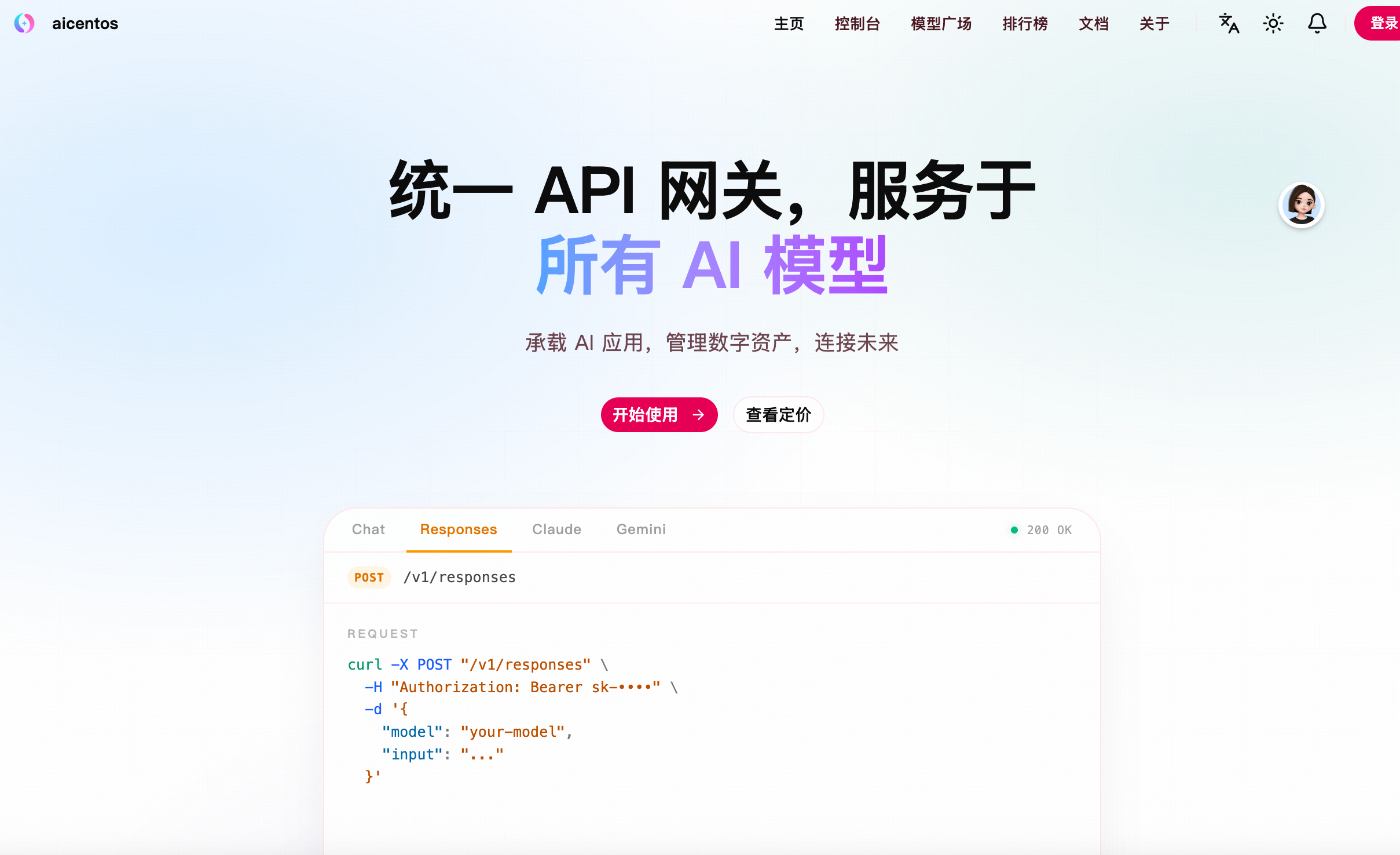
<p>访问 <a href="https://www.aicentos.com/sign-up" target="_blank" rel="noreferrer">aicentos</a>，点击<strong>注册</strong>：</p>
<p><img src="/img/start/api-01-home-1.png" alt="aicentos"></p>
<p>选择注册方式（GitHub、LinuxDO 或用户名注册）：</p>
<p><img src="/img/start/api-02-register-1.png" alt="注册方式选择"></p>
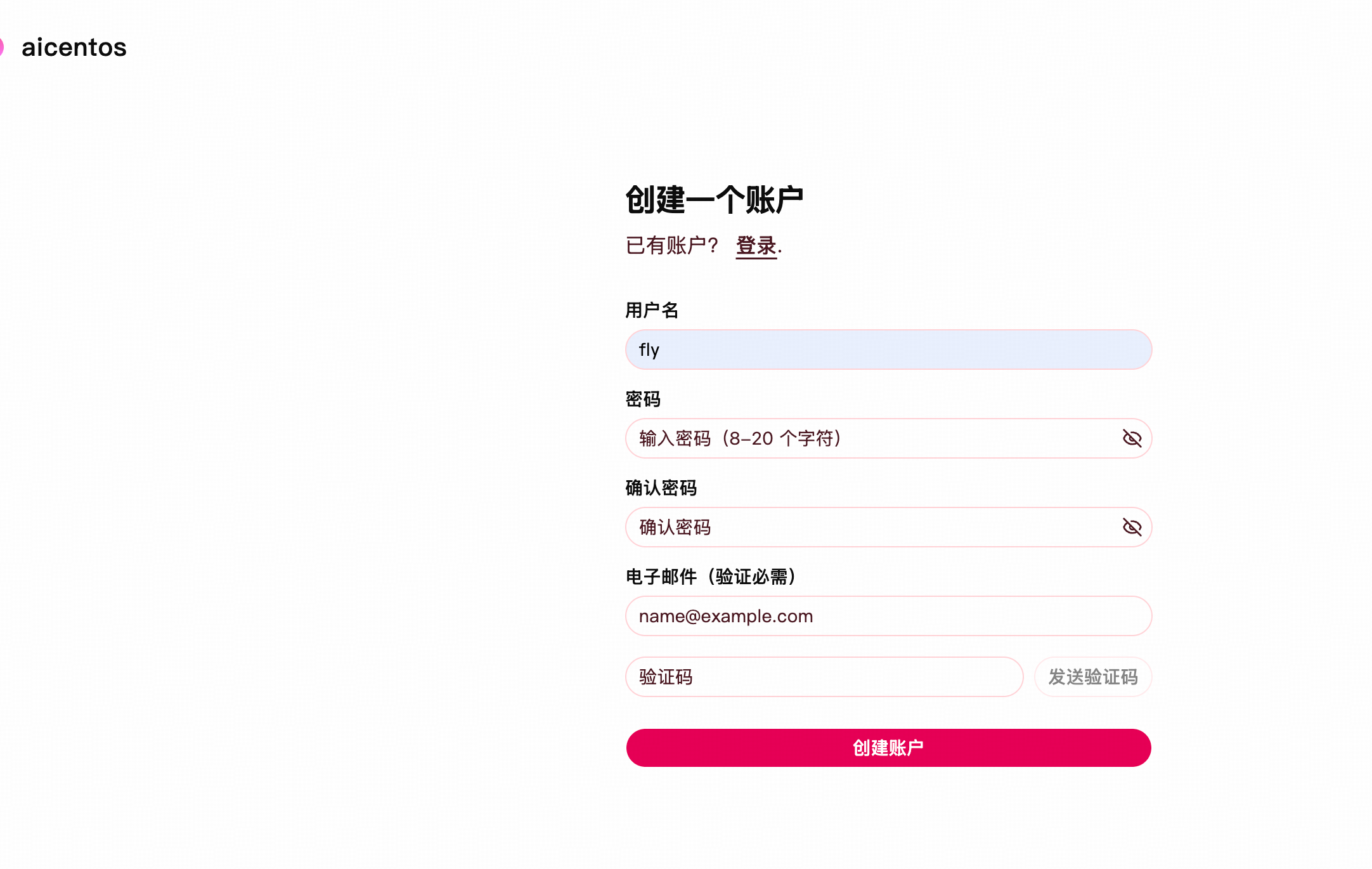
<p>填写用户名、密码和确认密码完成注册：</p>
<p><img src="/img/start/api-03-register-form-1.png" alt="填写注册信息"></p>
<h3 id="_2-登录" tabindex="-1">2. 登录 <a class="header-anchor" href="#_2-登录" aria-label="Permalink to &quot;2. 登录&quot;">&ZeroWidthSpace;</a></h3>
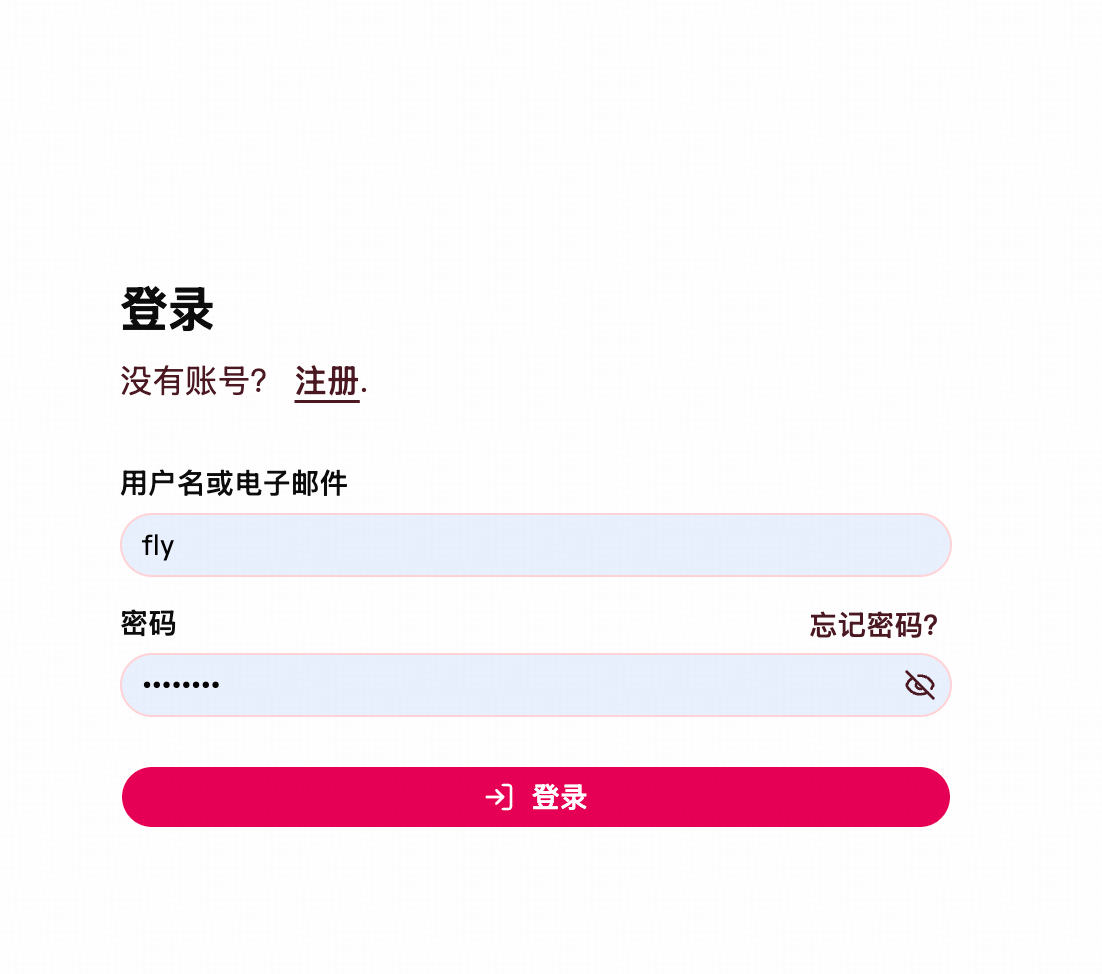
<p>注册完成后使用用户名和密码登录：</p>
<p><img src="/img/start/api-04-login-1.png" alt="登录页面"></p>
<p>登录后进入控制台：</p>
<p><img src="/img/start/api-05-console-1.png" alt="控制台首页"></p>
<h3 id="_3-创建令牌" tabindex="-1">3. 创建令牌 <a class="header-anchor" href="#_3-创建令牌" aria-label="Permalink to &quot;3. 创建令牌&quot;">&ZeroWidthSpace;</a></h3>
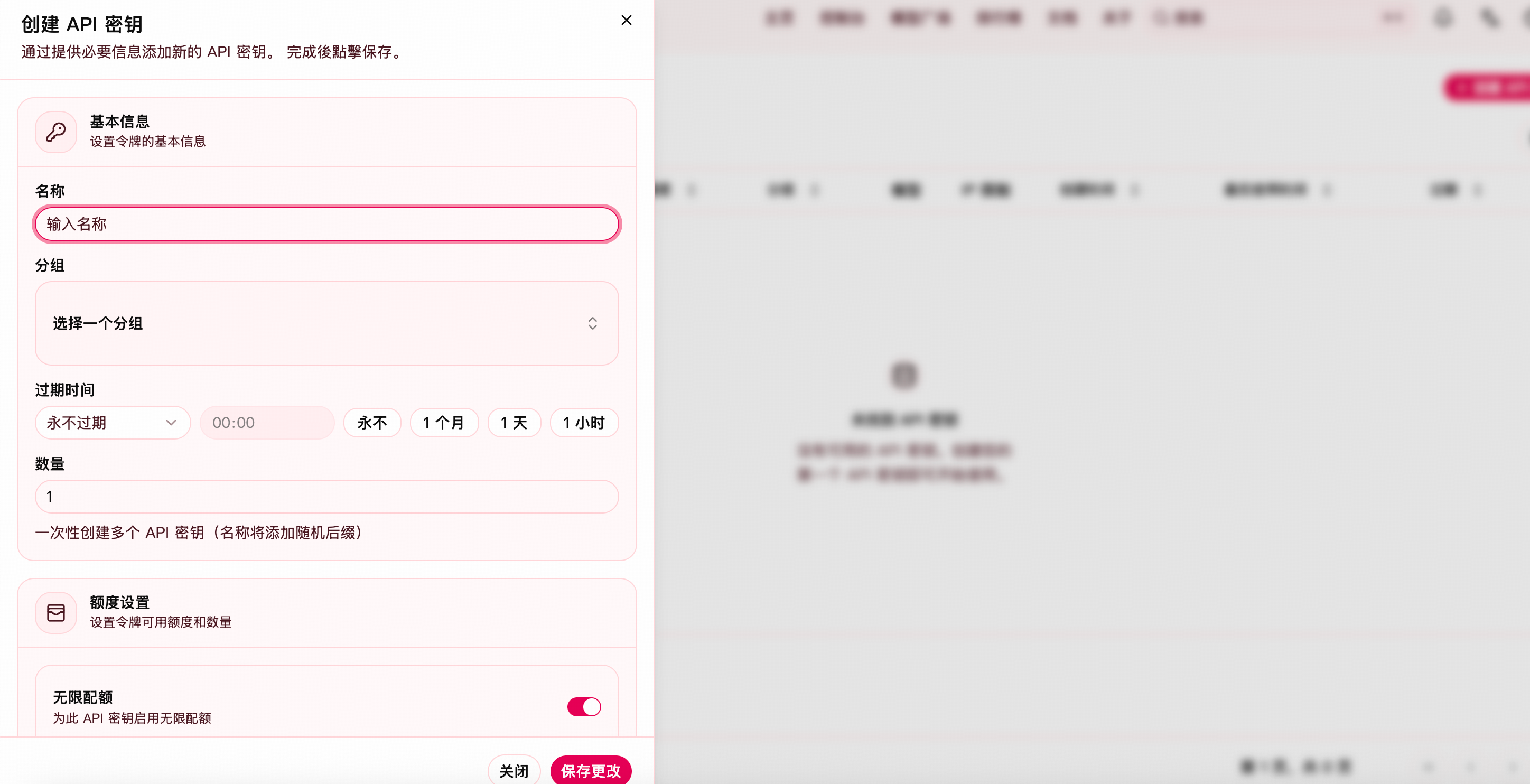
<p>进入<strong>控制台 → 令牌管理 → 添加令牌</strong>，填写表单：</p>
<p><img src="/img/start/api-06-token-create-1.png" alt="添加令牌"></p>
<ul>
<li><strong>令牌分组</strong>建议选择 <strong>官渠</strong>，该分组包含全系列 Claude 模型，会根据任务复杂度自动选择，无需手动切换。具体渠道和模型以官网实际为准，请前往 <a href="https://www.aicentos.com/pricing" target="_blank" rel="noreferrer">定价页</a> 查看最新信息。</li>
</ul>
<p>创建完成后在令牌列表点击<strong>复制</strong>按钮获取 API Key（格式为 <code>sk-xxx</code>）：</p>
<p><img src="/img/start/api-07-token-copy-1.png" alt="复制令牌"></p>
<h3 id="_4-充值" tabindex="-1">4. 充值 <a class="header-anchor" href="#_4-充值" aria-label="Permalink to &quot;4. 充值&quot;">&ZeroWidthSpace;</a></h3>
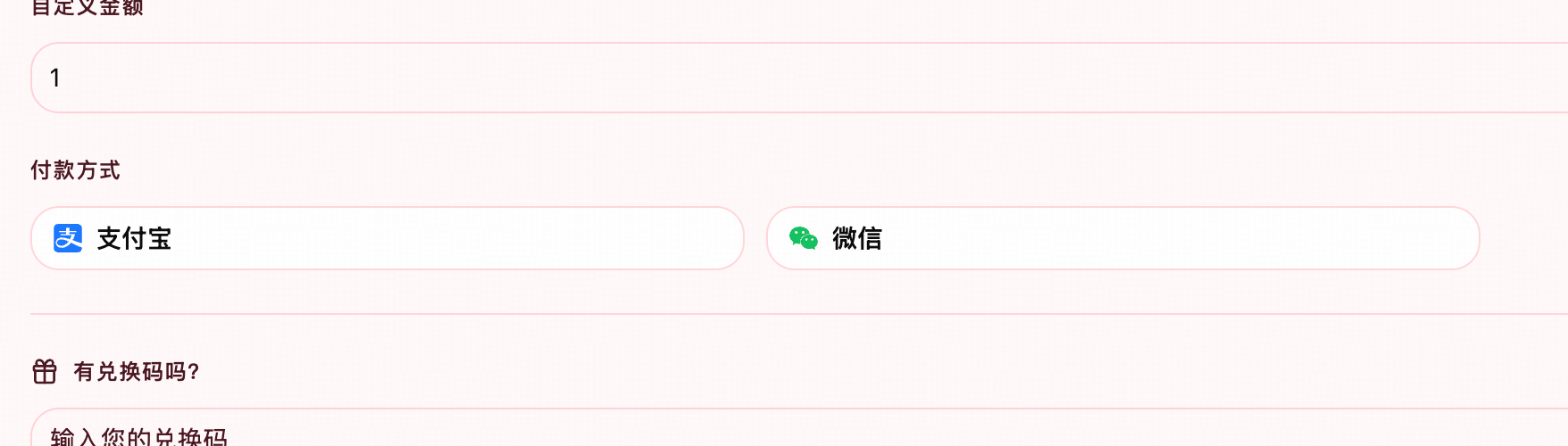
<p>进入<strong>控制台 → 钱包管理</strong>，支持支付宝、微信或兑换码：</p>
<p><img src="/img/start/api-08-wallet-1.png" alt="充值页面"></p>
<p>| 方式 | 操作路径 |
|</p>
]]></summary>
    </entry>
    <entry>
        <title type="html"><![CDATA[changelog]]></title>
        <id>https://www.aicentos.com/changelog</id>
        <link href="https://www.aicentos.com/changelog"/>
        <updated>2026-05-13T01:43:42.658Z</updated>
    </entry>
    <entry>
        <title type="html"><![CDATA[claude-desktop]]></title>
        <id>https://www.aicentos.com/claude-desktop</id>
        <link href="https://www.aicentos.com/claude-desktop"/>
        <updated>2026-05-13T01:43:42.658Z</updated>
        <summary type="html"><![CDATA[<h1 id="在-claude-desktop-中使用-aicentos" tabindex="-1">在 Claude Desktop 中使用 aicentos <a class="header-anchor" href="#在-claude-desktop-中使用-aicentos" aria-label="Permalink to &quot;在 Claude Desktop 中使用 aicentos&quot;">&ZeroWidthSpace;</a></h1>
<h2 id="适用范围" tabindex="-1">适用范围 <a class="header-anchor" href="#适用范围" aria-label="Permalink to &quot;适用范围&quot;">&ZeroWidthSpace;</a></h2>
<p>本文适用于 Claude Desktop 新版的 <strong>Cowork / Code 第三方推理接入</strong> 模式，也就是 Anthropic 官方文档中的 <code>third-party inference</code>。</p>
<p>如果你想要的是：</p>
<ul>
<li>在桌面端使用 Claude 的 <strong>Cowork</strong></li>
<li>在桌面端使用 Claude 的 <strong>Code</strong></li>
<li>通过自定义 API / 网关把请求转到 aicentos</li>
</ul>
<p>那么走的就是这套配置方式。</p>
<div class="warning custom-block"><p class="custom-block-title">注意</p>
<p>这不是旧版“直接登录 Claude 账号即可聊天”的路径。接入第三方推理后，你主要会用到的是 <strong>Cowork</strong> 和 <strong>Code</strong> 标签页。</p>
</div>
<h2 id="前置准备" tabindex="-1">前置准备 <a class="header-anchor" href="#前置准备" aria-label="Permalink to &quot;前置准备&quot;">&ZeroWidthSpace;</a></h2>
<p>开始前请先准备：</p>
<ol>
<li>安装最新版 Claude Desktop</li>
<li>准备一个 aicentos Token</li>
<li>确认你的 Token 可访问 Claude 模型</li>
</ol>
<p>Token 获取地址：</p>
<ul>
<li><a href="https://www.aicentos.com/console/token" target="_blank" rel="noreferrer">aicentos</a></li>
</ul>
<p>建议优先准备这些模型作为候选：</p>
<ul>
<li><code>claude-sonnet-4-5-20250929</code></li>
<li><code>claude-opus-4-5-20251101</code></li>
<li><code>claude-haiku-4-5-20251001</code></li>
</ul>
<h2 id="方式一-在-claude-desktop-里直接配置-推荐" tabindex="-1">方式一：在 Claude Desktop 里直接配置（推荐） <a class="header-anchor" href="#方式一-在-claude-desktop-里直接配置-推荐" aria-label="Permalink to &quot;方式一：在 Claude Desktop 里直接配置（推荐）&quot;">&ZeroWidthSpace;</a></h2>
<p>Anthropic 官方推荐优先通过桌面端内置的第三方推理配置界面完成设置。</p>
<h3 id="_1-启用-developer-mode" tabindex="-1">1. 启用 Developer mode <a class="header-anchor" href="#_1-启用-developer-mode" aria-label="Permalink to &quot;1. 启用 Developer mode&quot;">&ZeroWidthSpace;</a></h3>
<p>在 Claude Desktop 顶部菜单中依次进入：</p>
<div class="language-text vp-adaptive-theme"><button title="Copy Code" class="copy"></button><span class="lang">text</span><pre class="shiki shiki-themes github-light github-dark vp-code" tabindex="0" v-pre=""><code><span class="line"><span>Help → Troubleshooting → Enable Developer mode</span></span></code></pre>
</div><p>启用后，应用菜单里会出现 <code>Developer</code> 相关入口。</p>
<h3 id="_2-打开第三方推理配置" tabindex="-1">2. 打开第三方推理配置 <a class="header-anchor" href="#_2-打开第三方推理配置" aria-label="Permalink to &quot;2. 打开第三方推理配置&quot;">&ZeroWidthSpace;</a></h3>
<p>继续进入：</p>
<div class="language-text vp-adaptive-theme"><button title="Copy Code" class="copy"></button><span class="lang">text</span><pre class="shiki shiki-themes github-light github-dark vp-code" tabindex="0" v-pre=""><code><span class="line"><span>Developer → Configure third-party inference</span></span></code></pre>
</div><p>这里会打开一套 Anthropic 官方提供的第三方推理配置流程。</p>
<h3 id="_3-选择-gateway-模式" tabindex="-1">3. 选择 Gateway 模式 <a class="header-anchor" href="#_3-选择-gateway-模式" aria-label="Permalink to &quot;3. 选择 Gateway 模式&quot;">&ZeroWidthSpace;</a></h3>
<p>在提供商类型里，选择：</p>
<div class="language-text vp-adaptive-theme"><button title="Copy Code" class="copy"></button><span class="lang">text</span><pre class="shiki shiki-themes github-light github-dark vp-code" tabindex="0" v-pre=""><code><span class="line"><span>Gateway</span></span></code></pre>
</div><p>aicentos 这类自定义 API / 中转服务，对应的就是 <code>gateway</code> 模式。</p>
<h3 id="_4-填写-aicentos-配置" tabindex="-1">4. 填写 aicentos 配置 <a class="header-anchor" href="#_4-填写-aicentos-配置" aria-label="Permalink to &quot;4. 填写 aicentos 配置&quot;">&ZeroWidthSpace;</a></h3>
<p>核心信息按下面填写：</p>
<ul>
<li>Gateway URL：<code>https://www.aicentos.com/</code></li>
<li>Authentication：<code>x-api-key</code></li>
<li>API Key：你的 aicentos Token</li>
</ul>
<p>如果界面要求填写模型列表，建议先填：</p>
<div class="language-text vp-adaptive-theme"><button title="Copy Code" class="copy"></button><span class="lang">text</span><pre class="shiki shiki-themes github-light github-dark vp-code" tabindex="0" v-pre=""><code><span class="line"><span>claude-sonnet-4-5-20250929</span></span>
<span class="line"><span>claude-opus-4-5-20251101</span></span>
<span class="line"><span>claude-haiku-4-5-20251001</span></span></code></pre>
</div><p>如果界面支持启用 <code>Code</code>，保持开启即可。</p>
<h3 id="_5-应用到本地" tabindex="-1">5. 应用到本地 <a class="header-anchor" href="#_5-应用到本地" aria-label="Permalink to &quot;5. 应用到本地&quot;">&ZeroWidthSpace;</a></h3>
<p>完成配置后，优先选择：</p>
<div class="language-text vp-adaptive-theme"><button title="Copy Code" class="copy"></button><span class="lang">text</span><pre class="shiki shiki-themes github-light github-dark vp-code" tabindex="0" v-pre=""><code><span class="line"><span>Apply locally</span></span></code></pre>
</div><p>这会把第三方推理配置写入当前用户的本地 Claude Desktop 配置中。</p>
<p>配置成功后，重新打开 Claude Desktop，通常就能看到可用的 <strong>Cowork / Code</strong> 工作界面。</p>
<h2 id="方式二-通过本地配置文件管理-进阶" tabindex="-1">方式二：通过本地配置文件管理（进阶） <a class="header-anchor" href="#方式二-通过本地配置文件管理-进阶" aria-label="Permalink to &quot;方式二：通过本地配置文件管理（进阶）&quot;">&ZeroWidthSpace;</a></h2>
<p>如果你想备份、迁移或排查配置，可以查看 Claude Desktop 本地写入的位置。</p>
<p>常见路径如下：</p>
<h3 id="macos" tabindex="-1">macOS <a class="header-anchor" href="#macos" aria-label="Permalink to &quot;macOS&quot;">&ZeroWidthSpace;</a></h3>
<div class="language-text vp-adaptive-theme"><button title="Copy Code" class="copy"></button><span class="lang">text</span><pre class="shiki shiki-themes github-light github-dark vp-code" tabindex="0" v-pre=""><code><span class="line"><span>~/Library/Application Support/Claude-3p/claude_desktop_config.json</span></span></code></pre>
</div><h3 id="windows" tabindex="-1">Windows <a class="header-anchor" href="#windows" aria-label="Permalink to &quot;Windows&quot;">&ZeroWidthSpace;</a></h3>
<div class="language-text vp-adaptive-theme"><button title="Copy Code" class="copy"></button><span class="lang">text</span><pre class="shiki shiki-themes github-light github-dark vp-code" tabindex="0" v-pre=""><code><span class="line"><span>%APPDATA%\Claude-3p\claude_desktop_config.json</span></span></code></pre>
</div><h3 id="linux" tabindex="-1">Linux <a class="header-anchor" href="#linux" aria-label="Permalink to &quot;Linux&quot;">&ZeroWidthSpace;</a></h3>
<div class="language-text vp-adaptive-theme"><button title="Copy Code" class="copy"></button><span class="lang">text</span><pre class="shiki shiki-themes github-light github-dark vp-code" tabindex="0" v-pre=""><code><span class="line"><span>~/.config/Claude-3p/claude_desktop_config.json</span></span></code></pre>
</div><div class="tip custom-block"><p class="custom-block-title">提示</p>
<p>本地文件里实际使用的是 <code>enterpriseConfig</code> 这组第三方推理配置。更稳妥的做法不是手写 JSON，而是先在应用内完成配置，再把生成结果纳入备份或同步。</p>
</div>
<h2 id="aicentos-推荐配置" tabindex="-1">aicentos 推荐配置 <a class="header-anchor" href="#aicentos-推荐配置" aria-label="Permalink to &quot;aicentos 推荐配置&quot;">&ZeroWidthSpace;</a></h2>
<p>如果你要手动核对字段，重点关注下面几项：</p>
<p>| 字段 | 建议值 |
|</p>
]]></summary>
    </entry>
    <entry>
        <title type="html"><![CDATA[codex]]></title>
        <id>https://www.aicentos.com/codex</id>
        <link href="https://www.aicentos.com/codex"/>
        <updated>2026-05-13T01:43:42.658Z</updated>
    </entry>
    <entry>
        <title type="html"><![CDATA[compare]]></title>
        <id>https://www.aicentos.com/compare</id>
        <link href="https://www.aicentos.com/compare"/>
        <updated>2026-05-13T01:43:42.658Z</updated>
        <summary type="html"><![CDATA[<h1 id="工具对比" tabindex="-1">工具对比 <a class="header-anchor" href="#工具对比" aria-label="Permalink to &quot;工具对比&quot;">&ZeroWidthSpace;</a></h1>
<p>选择适合你的 AI 编程工具。以下是 aicentos 平台支持的各工具全面对比。</p>
<h2 id="基本信息" tabindex="-1">基本信息 <a class="header-anchor" href="#基本信息" aria-label="Permalink to &quot;基本信息&quot;">&ZeroWidthSpace;</a></h2>
<p>| 工具 | 开发者 | 类型 |
|</p>
]]></summary>
    </entry>
    <entry>
        <title type="html"><![CDATA[cursor]]></title>
        <id>https://www.aicentos.com/cursor</id>
        <link href="https://www.aicentos.com/cursor"/>
        <updated>2026-05-13T01:43:42.658Z</updated>
    </entry>
    <entry>
        <title type="html"><![CDATA[droid]]></title>
        <id>https://www.aicentos.com/droid</id>
        <link href="https://www.aicentos.com/droid"/>
        <updated>2026-05-13T01:43:42.658Z</updated>
    </entry>
    <entry>
        <title type="html"><![CDATA[错误日志说明]]></title>
        <id>https://www.aicentos.com/error-logs</id>
        <link href="https://www.aicentos.com/error-logs"/>
        <updated>2026-05-13T01:43:42.658Z</updated>
        <summary type="html"><![CDATA[<h1 id="错误日志说明" tabindex="-1">错误日志说明 <a class="header-anchor" href="#错误日志说明" aria-label="Permalink to &quot;错误日志说明&quot;">&ZeroWidthSpace;</a></h1>
<p>错误日志用于定位单次请求失败的具体原因。排查时建议先查看 <a href="/group-health.html">分组健康状态</a> 判断影响范围，再用错误日志里的 <code>request_id</code> 定位单条请求。</p>
<p>入口：<a href="https://www.aicentos.com/console/log" target="_blank" rel="noreferrer">控制台 → 使用日志</a>。将日志类型切换为 <strong>错误日志</strong> 后，可按时间、模型、Token、分组、请求 ID、错误消息和状态码筛选。</p>
<div class="tip custom-block"><p class="custom-block-title">快速判断</p>
<ul>
<li><code>request_id</code> 用于定位单条请求</li>
<li><code>status_code</code> 用于按错误类型聚合</li>
<li><code>content</code> 用于搜索具体错误关键词</li>
<li><code>group</code> 用于判断问题是否集中在某个分组</li>
</ul>
</div>
<h2 id="字段说明" tabindex="-1">字段说明 <a class="header-anchor" href="#字段说明" aria-label="Permalink to &quot;字段说明&quot;">&ZeroWidthSpace;</a></h2>
<p>| 字段 | 含义 | 排查价值 |
|</p>
]]></summary>
    </entry>
    <entry>
        <title type="html"><![CDATA[faq]]></title>
        <id>https://www.aicentos.com/faq</id>
        <link href="https://www.aicentos.com/faq"/>
        <updated>2026-05-13T01:43:42.658Z</updated>
        <summary type="html"><![CDATA[<h1 id="常见问题" tabindex="-1">常见问题 <a class="header-anchor" href="#常见问题" aria-label="Permalink to &quot;常见问题&quot;">&ZeroWidthSpace;</a></h1>
<h2 id="通用" tabindex="-1">通用 <a class="header-anchor" href="#通用" aria-label="Permalink to &quot;通用&quot;">&ZeroWidthSpace;</a></h2>
<h3 id="aicentos-是什么" tabindex="-1">aicentos 是什么？ <a class="header-anchor" href="#aicentos-是什么" aria-label="Permalink to &quot;aicentos 是什么？&quot;">&ZeroWidthSpace;</a></h3>
<p>aicentos 是一个 AI Coding 中转站，支持 Claude、Codex 模型在多种平台使用。</p>
<h3 id="支持哪些工具" tabindex="-1">支持哪些工具？ <a class="header-anchor" href="#支持哪些工具" aria-label="Permalink to &quot;支持哪些工具？&quot;">&ZeroWidthSpace;</a></h3>
<p>目前支持以下工具：</p>
<ul>
<li><strong>Claude Code</strong> — Anthropic 官方 CLI</li>
<li><strong>OpenAI Codex</strong> — OpenAI 官方编程助手</li>
<li><strong>RooCode</strong> — VS Code AI 编程插件</li>
<li><strong>Qwen Code</strong> — 阿里通义千问编程工具</li>
<li><strong>Droid CLI</strong> — 轻量级 AI 编程 CLI</li>
<li><strong>OpenCode</strong> — 开源 AI 编程终端工具</li>
</ul>
<h3 id="数据隐私如何保障" tabindex="-1">数据隐私如何保障？ <a class="header-anchor" href="#数据隐私如何保障" aria-label="Permalink to &quot;数据隐私如何保障？&quot;">&ZeroWidthSpace;</a></h3>
<p>aicentos 仅作为 API 中转服务，不存储你的代码和对话内容。所有请求直接转发至对应的模型提供商。</p>
<div class="tip custom-block"><p class="custom-block-title">建议</p>
<p>敏感项目建议在使用前阅读各模型提供商的隐私政策。</p>
</div>
<h2 id="账户与-token" tabindex="-1">账户与 Token <a class="header-anchor" href="#账户与-token" aria-label="Permalink to &quot;账户与 Token&quot;">&ZeroWidthSpace;</a></h2>
<h3 id="如何注册" tabindex="-1">如何注册？ <a class="header-anchor" href="#如何注册" aria-label="Permalink to &quot;如何注册？&quot;">&ZeroWidthSpace;</a></h3>
<p>访问 <a href="https://www.aicentos.com/sign-up" target="_blank" rel="noreferrer">aicentos</a>，按提示完成注册即可。</p>
<h3 id="如何获取-api-token" tabindex="-1">如何获取 API Token？ <a class="header-anchor" href="#如何获取-api-token" aria-label="Permalink to &quot;如何获取 API Token？&quot;">&ZeroWidthSpace;</a></h3>
<p>注册后登录控制台，前往 <a href="https://www.aicentos.com/console/token" target="_blank" rel="noreferrer">Token 管理页</a> 创建新的 Token。</p>
<h3 id="token-有效期多长" tabindex="-1">Token 有效期多长？ <a class="header-anchor" href="#token-有效期多长" aria-label="Permalink to &quot;Token 有效期多长？&quot;">&ZeroWidthSpace;</a></h3>
<p>Token 在手动删除或重新生成前持续有效。建议定期轮换以确保安全。</p>
<h3 id="用量额度是多少" tabindex="-1">用量额度是多少？ <a class="header-anchor" href="#用量额度是多少" aria-label="Permalink to &quot;用量额度是多少？&quot;">&ZeroWidthSpace;</a></h3>
<p>aicentos 为每个用户提供用量额度，具体数量根据平台资源动态调整。请关注控制台中的用量信息。</p>
<div class="warning custom-block"><p class="custom-block-title">注意</p>
<p>额度用尽后请求会被拒绝，请合理规划用量。</p>
</div>
<h2 id="工具配置" tabindex="-1">工具配置 <a class="header-anchor" href="#工具配置" aria-label="Permalink to &quot;工具配置&quot;">&ZeroWidthSpace;</a></h2>
<h3 id="环境变量设置后不生效怎么办" tabindex="-1">环境变量设置后不生效怎么办？ <a class="header-anchor" href="#环境变量设置后不生效怎么办" aria-label="Permalink to &quot;环境变量设置后不生效怎么办？&quot;">&ZeroWidthSpace;</a></h3>
<p>检查以下常见原因：</p>
<ol>
<li><strong>未重启终端</strong> — 修改 <code>.bashrc</code> / <code>.zshrc</code> 后需要执行 <code>source ~/.bashrc</code> 或新开终端</li>
<li><strong>变量名拼写错误</strong> — 注意区分大小写，如 <code>ANTHROPIC_BASE_URL</code> 不能写成 <code>Anthropic_Base_Url</code></li>
<li><strong>多余的引号或空格</strong> — <code>export KEY=&quot;value&quot;</code> 中 value 前后不要有多余空格</li>
</ol>
<details class="details custom-block"><summary>快速排查命令</summary>
<div class="language-bash vp-adaptive-theme"><button title="Copy Code" class="copy"></button><span class="lang">bash</span><pre class="shiki shiki-themes github-light github-dark vp-code" tabindex="0" v-pre=""><code><span class="line"><span style="--shiki-light:#6A737D;--shiki-dark:#6A737D"># 检查变量是否已设置</span></span>
<span class="line"><span style="--shiki-light:#005CC5;--shiki-dark:#79B8FF">echo</span><span style="--shiki-light:#24292E;--shiki-dark:#E1E4E8"> $ANTHROPIC_BASE_URL</span></span>
<span class="line"><span style="--shiki-light:#005CC5;--shiki-dark:#79B8FF">echo</span><span style="--shiki-light:#24292E;--shiki-dark:#E1E4E8"> $ANTHROPIC_AUTH_TOKEN</span></span>
<span class="line"></span>
<span class="line"><span style="--shiki-light:#6A737D;--shiki-dark:#6A737D"># 如果为空，说明变量未生效</span></span></code></pre>
</div></details>
<h3 id="配置文件路径在哪里" tabindex="-1">配置文件路径在哪里？ <a class="header-anchor" href="#配置文件路径在哪里" aria-label="Permalink to &quot;配置文件路径在哪里？&quot;">&ZeroWidthSpace;</a></h3>
<p>| 工具 | 配置文件路径 |
|</p>
]]></summary>
    </entry>
    <entry>
        <title type="html"><![CDATA[gpt-image-2]]></title>
        <id>https://www.aicentos.com/gpt-image-2</id>
        <link href="https://www.aicentos.com/gpt-image-2"/>
        <updated>2026-05-13T01:43:42.658Z</updated>
        <summary type="html"><![CDATA[<h1 id="gpt-image-2-绘图教程" tabindex="-1">GPT-Image-2 绘图教程 <a class="header-anchor" href="#gpt-image-2-绘图教程" aria-label="Permalink to &quot;GPT-Image-2 绘图教程&quot;">&ZeroWidthSpace;</a></h1>
<h2 id="前置准备" tabindex="-1">前置准备 <a class="header-anchor" href="#前置准备" aria-label="Permalink to &quot;前置准备&quot;">&ZeroWidthSpace;</a></h2>
<p>在开始前，你需要先准备好：</p>
<ol>
<li>一个 aicentos 账号</li>
<li>一个可用的 API Token</li>
<li>确认当前 Token 可以访问 <code>gpt-image-2</code></li>
</ol>
<p>获取 Token：</p>
<ul>
<li>控制台地址：<a href="https://www.aicentos.com/console/token" target="_blank" rel="noreferrer">aicentos</a></li>
</ul>
<div class="tip custom-block"><p class="custom-block-title">提示</p>
<p>如果你在控制台里看得到模型分组或权限配置，请确保当前 Token 覆盖了 <code>gpt-image-2</code>。如果不确定，先新建一个默认可用的 Token 进行测试。</p>
</div>
<h2 id="开源可视化工具" tabindex="-1">开源可视化工具 <a class="header-anchor" href="#开源可视化工具" aria-label="Permalink to &quot;开源可视化工具&quot;">&ZeroWidthSpace;</a></h2>
<p>如果你不想先写代码，可以直接使用 aicentos 提供的开源 GPT-Image-2 工具进行测试和出图：</p>
<ul>
<li>在线体验：<a href="https://www.aicentos.com/" target="_blank" rel="noreferrer">aicentos</a></li>
<li>开源仓库：<a href="https://www.aicentos.com/" target="_blank" rel="noreferrer">aicentos</a></li>
</ul>
<div class="tip custom-block"><p class="custom-block-title">使用建议</p>
<p>先在工具中验证 Token、提示词和图片参数是否可用，再把同样的参数迁移到自己的代码或工作流中。</p>
</div>
<h2 id="方式一-使用-images-api-生成图片" tabindex="-1">方式一：使用 Images API 生成图片 <a class="header-anchor" href="#方式一-使用-images-api-生成图片" aria-label="Permalink to &quot;方式一：使用 Images API 生成图片&quot;">&ZeroWidthSpace;</a></h2>
<p>这是最直接的方式，对应 OpenAI 兼容的图片生成接口。</p>
<ul>
<li>请求地址：<code>https://www.aicentos.com/v1/images/generations</code></li>
<li>模型名称：<code>gpt-image-2</code></li>
</ul>
<h3 id="python-示例" tabindex="-1">Python 示例 <a class="header-anchor" href="#python-示例" aria-label="Permalink to &quot;Python 示例&quot;">&ZeroWidthSpace;</a></h3>
<div class="language-python vp-adaptive-theme"><button title="Copy Code" class="copy"></button><span class="lang">python</span><pre class="shiki shiki-themes github-light github-dark vp-code" tabindex="0" v-pre=""><code><span class="line"><span style="--shiki-light:#D73A49;--shiki-dark:#F97583">import</span><span style="--shiki-light:#24292E;--shiki-dark:#E1E4E8"> base64</span></span>
<span class="line"><span style="--shiki-light:#D73A49;--shiki-dark:#F97583">from</span><span style="--shiki-light:#24292E;--shiki-dark:#E1E4E8"> openai </span><span style="--shiki-light:#D73A49;--shiki-dark:#F97583">import</span><span style="--shiki-light:#24292E;--shiki-dark:#E1E4E8"> OpenAI</span></span>
<span class="line"></span>
<span class="line"><span style="--shiki-light:#24292E;--shiki-dark:#E1E4E8">client </span><span style="--shiki-light:#D73A49;--shiki-dark:#F97583">=</span><span style="--shiki-light:#24292E;--shiki-dark:#E1E4E8"> OpenAI(</span></span>
<span class="line"><span style="--shiki-light:#E36209;--shiki-dark:#FFAB70">    api_key</span><span style="--shiki-light:#D73A49;--shiki-dark:#F97583">=</span><span style="--shiki-light:#032F62;--shiki-dark:#9ECBFF">"sk-你的Aicentos-Token"</span><span style="--shiki-light:#24292E;--shiki-dark:#E1E4E8">,</span></span>
<span class="line"><span style="--shiki-light:#E36209;--shiki-dark:#FFAB70">    base_url</span><span style="--shiki-light:#D73A49;--shiki-dark:#F97583">=</span><span style="--shiki-light:#032F62;--shiki-dark:#9ECBFF">"https://www.aicentos.com/v1"</span></span>
<span class="line"><span style="--shiki-light:#24292E;--shiki-dark:#E1E4E8">)</span></span>
<span class="line"></span>
<span class="line"><span style="--shiki-light:#24292E;--shiki-dark:#E1E4E8">result </span><span style="--shiki-light:#D73A49;--shiki-dark:#F97583">=</span><span style="--shiki-light:#24292E;--shiki-dark:#E1E4E8"> client.images.generate(</span></span>
<span class="line"><span style="--shiki-light:#E36209;--shiki-dark:#FFAB70">    model</span><span style="--shiki-light:#D73A49;--shiki-dark:#F97583">=</span><span style="--shiki-light:#032F62;--shiki-dark:#9ECBFF">"gpt-image-2"</span><span style="--shiki-light:#24292E;--shiki-dark:#E1E4E8">,</span></span>
<span class="line"><span style="--shiki-light:#E36209;--shiki-dark:#FFAB70">    prompt</span><span style="--shiki-light:#D73A49;--shiki-dark:#F97583">=</span><span style="--shiki-light:#032F62;--shiki-dark:#9ECBFF">"一只戴着宇航员头盔的橘猫，坐在月球表面，电影级光影，超清细节"</span><span style="--shiki-light:#24292E;--shiki-dark:#E1E4E8">,</span></span>
<span class="line"><span style="--shiki-light:#E36209;--shiki-dark:#FFAB70">    size</span><span style="--shiki-light:#D73A49;--shiki-dark:#F97583">=</span><span style="--shiki-light:#032F62;--shiki-dark:#9ECBFF">"1024x1024"</span></span>
<span class="line"><span style="--shiki-light:#24292E;--shiki-dark:#E1E4E8">)</span></span>
<span class="line"></span>
<span class="line"><span style="--shiki-light:#24292E;--shiki-dark:#E1E4E8">image_base64 </span><span style="--shiki-light:#D73A49;--shiki-dark:#F97583">=</span><span style="--shiki-light:#24292E;--shiki-dark:#E1E4E8"> result.data[</span><span style="--shiki-light:#005CC5;--shiki-dark:#79B8FF">0</span><span style="--shiki-light:#24292E;--shiki-dark:#E1E4E8">].b64_json</span></span>
<span class="line"></span>
<span class="line"><span style="--shiki-light:#D73A49;--shiki-dark:#F97583">with</span><span style="--shiki-light:#005CC5;--shiki-dark:#79B8FF"> open</span><span style="--shiki-light:#24292E;--shiki-dark:#E1E4E8">(</span><span style="--shiki-light:#032F62;--shiki-dark:#9ECBFF">"gpt-image-2-output.png"</span><span style="--shiki-light:#24292E;--shiki-dark:#E1E4E8">, </span><span style="--shiki-light:#032F62;--shiki-dark:#9ECBFF">"wb"</span><span style="--shiki-light:#24292E;--shiki-dark:#E1E4E8">) </span><span style="--shiki-light:#D73A49;--shiki-dark:#F97583">as</span><span style="--shiki-light:#24292E;--shiki-dark:#E1E4E8"> f:</span></span>
<span class="line"><span style="--shiki-light:#24292E;--shiki-dark:#E1E4E8">    f.write(base64.b64decode(image_base64))</span></span></code></pre>
</div><h3 id="node-js-示例" tabindex="-1">Node.js 示例 <a class="header-anchor" href="#node-js-示例" aria-label="Permalink to &quot;Node.js 示例&quot;">&ZeroWidthSpace;</a></h3>
<div class="language-javascript vp-adaptive-theme"><button title="Copy Code" class="copy"></button><span class="lang">javascript</span><pre class="shiki shiki-themes github-light github-dark vp-code" tabindex="0" v-pre=""><code><span class="line"><span style="--shiki-light:#D73A49;--shiki-dark:#F97583">import</span><span style="--shiki-light:#24292E;--shiki-dark:#E1E4E8"> fs </span><span style="--shiki-light:#D73A49;--shiki-dark:#F97583">from</span><span style="--shiki-light:#032F62;--shiki-dark:#9ECBFF"> "node:fs"</span><span style="--shiki-light:#24292E;--shiki-dark:#E1E4E8">;</span></span>
<span class="line"><span style="--shiki-light:#D73A49;--shiki-dark:#F97583">import</span><span style="--shiki-light:#24292E;--shiki-dark:#E1E4E8"> OpenAI </span><span style="--shiki-light:#D73A49;--shiki-dark:#F97583">from</span><span style="--shiki-light:#032F62;--shiki-dark:#9ECBFF"> "openai"</span><span style="--shiki-light:#24292E;--shiki-dark:#E1E4E8">;</span></span>
<span class="line"></span>
<span class="line"><span style="--shiki-light:#D73A49;--shiki-dark:#F97583">const</span><span style="--shiki-light:#005CC5;--shiki-dark:#79B8FF"> client</span><span style="--shiki-light:#D73A49;--shiki-dark:#F97583"> =</span><span style="--shiki-light:#D73A49;--shiki-dark:#F97583"> new</span><span style="--shiki-light:#6F42C1;--shiki-dark:#B392F0"> OpenAI</span><span style="--shiki-light:#24292E;--shiki-dark:#E1E4E8">({</span></span>
<span class="line"><span style="--shiki-light:#24292E;--shiki-dark:#E1E4E8">  apiKey: </span><span style="--shiki-light:#032F62;--shiki-dark:#9ECBFF">"sk-你的Aicentos-Token"</span><span style="--shiki-light:#24292E;--shiki-dark:#E1E4E8">,</span></span>
<span class="line"><span style="--shiki-light:#24292E;--shiki-dark:#E1E4E8">  baseURL: </span><span style="--shiki-light:#032F62;--shiki-dark:#9ECBFF">"https://www.aicentos.com/v1"</span><span style="--shiki-light:#24292E;--shiki-dark:#E1E4E8">,</span></span>
<span class="line"><span style="--shiki-light:#24292E;--shiki-dark:#E1E4E8">});</span></span>
<span class="line"></span>
<span class="line"><span style="--shiki-light:#D73A49;--shiki-dark:#F97583">const</span><span style="--shiki-light:#005CC5;--shiki-dark:#79B8FF"> result</span><span style="--shiki-light:#D73A49;--shiki-dark:#F97583"> =</span><span style="--shiki-light:#D73A49;--shiki-dark:#F97583"> await</span><span style="--shiki-light:#24292E;--shiki-dark:#E1E4E8"> client.images.</span><span style="--shiki-light:#6F42C1;--shiki-dark:#B392F0">generate</span><span style="--shiki-light:#24292E;--shiki-dark:#E1E4E8">({</span></span>
<span class="line"><span style="--shiki-light:#24292E;--shiki-dark:#E1E4E8">  model: </span><span style="--shiki-light:#032F62;--shiki-dark:#9ECBFF">"gpt-image-2"</span><span style="--shiki-light:#24292E;--shiki-dark:#E1E4E8">,</span></span>
<span class="line"><span style="--shiki-light:#24292E;--shiki-dark:#E1E4E8">  prompt: </span><span style="--shiki-light:#032F62;--shiki-dark:#9ECBFF">"一座漂浮在云海上的未来城市，赛博朋克霓虹风格，超高细节"</span><span style="--shiki-light:#24292E;--shiki-dark:#E1E4E8">,</span></span>
<span class="line"><span style="--shiki-light:#24292E;--shiki-dark:#E1E4E8">  size: </span><span style="--shiki-light:#032F62;--shiki-dark:#9ECBFF">"1024x1024"</span><span style="--shiki-light:#24292E;--shiki-dark:#E1E4E8">,</span></span>
<span class="line"><span style="--shiki-light:#24292E;--shiki-dark:#E1E4E8">});</span></span>
<span class="line"></span>
<span class="line"><span style="--shiki-light:#D73A49;--shiki-dark:#F97583">const</span><span style="--shiki-light:#005CC5;--shiki-dark:#79B8FF"> imageBase64</span><span style="--shiki-light:#D73A49;--shiki-dark:#F97583"> =</span><span style="--shiki-light:#24292E;--shiki-dark:#E1E4E8"> result.data[</span><span style="--shiki-light:#005CC5;--shiki-dark:#79B8FF">0</span><span style="--shiki-light:#24292E;--shiki-dark:#E1E4E8">].b64_json;</span></span>
<span class="line"><span style="--shiki-light:#24292E;--shiki-dark:#E1E4E8">fs.</span><span style="--shiki-light:#6F42C1;--shiki-dark:#B392F0">writeFileSync</span><span style="--shiki-light:#24292E;--shiki-dark:#E1E4E8">(</span><span style="--shiki-light:#032F62;--shiki-dark:#9ECBFF">"gpt-image-2-output.png"</span><span style="--shiki-light:#24292E;--shiki-dark:#E1E4E8">, Buffer.</span><span style="--shiki-light:#6F42C1;--shiki-dark:#B392F0">from</span><span style="--shiki-light:#24292E;--shiki-dark:#E1E4E8">(imageBase64, </span><span style="--shiki-light:#032F62;--shiki-dark:#9ECBFF">"base64"</span><span style="--shiki-light:#24292E;--shiki-dark:#E1E4E8">));</span></span></code></pre>
</div><h3 id="curl-示例" tabindex="-1">curl 示例 <a class="header-anchor" href="#curl-示例" aria-label="Permalink to &quot;curl 示例&quot;">&ZeroWidthSpace;</a></h3>
<div class="language-bash vp-adaptive-theme"><button title="Copy Code" class="copy"></button><span class="lang">bash</span><pre class="shiki shiki-themes github-light github-dark vp-code" tabindex="0" v-pre=""><code><span class="line"><span style="--shiki-light:#6F42C1;--shiki-dark:#B392F0">curl</span><span style="--shiki-light:#005CC5;--shiki-dark:#79B8FF"> --request</span><span style="--shiki-light:#032F62;--shiki-dark:#9ECBFF"> POST</span><span style="--shiki-light:#005CC5;--shiki-dark:#79B8FF"> \</span></span>
<span class="line"><span style="--shiki-light:#005CC5;--shiki-dark:#79B8FF">  --url</span><span style="--shiki-light:#032F62;--shiki-dark:#9ECBFF"> https://www.aicentos.com/v1/images/generations</span><span style="--shiki-light:#005CC5;--shiki-dark:#79B8FF"> \</span></span>
<span class="line"><span style="--shiki-light:#005CC5;--shiki-dark:#79B8FF">  --header</span><span style="--shiki-light:#032F62;--shiki-dark:#9ECBFF"> "Authorization: Bearer sk-你的Aicentos-Token"</span><span style="--shiki-light:#005CC5;--shiki-dark:#79B8FF"> \</span></span>
<span class="line"><span style="--shiki-light:#005CC5;--shiki-dark:#79B8FF">  --header</span><span style="--shiki-light:#032F62;--shiki-dark:#9ECBFF"> "Content-Type: application/json"</span><span style="--shiki-light:#005CC5;--shiki-dark:#79B8FF"> \</span></span>
<span class="line"><span style="--shiki-light:#005CC5;--shiki-dark:#79B8FF">  --data</span><span style="--shiki-light:#032F62;--shiki-dark:#9ECBFF"> '{</span></span>
<span class="line"><span style="--shiki-light:#032F62;--shiki-dark:#9ECBFF">    "model": "gpt-image-2",</span></span>
<span class="line"><span style="--shiki-light:#032F62;--shiki-dark:#9ECBFF">    "prompt": "一张极简产品海报，白色背景，中央是一枚悬浮的透明玻璃键盘，商业摄影风格",</span></span>
<span class="line"><span style="--shiki-light:#032F62;--shiki-dark:#9ECBFF">    "size": "1024x1024"</span></span>
<span class="line"><span style="--shiki-light:#032F62;--shiki-dark:#9ECBFF">  }'</span></span></code></pre>
</div><div class="warning custom-block"><p class="custom-block-title">注意</p>
<p>Images API 返回的核心结果通常是 <code>b64_json</code>，需要你在本地把 Base64 解码成图片文件。</p>
</div>
<h2 id="方式二-通过-chat-completions-调用图片生成" tabindex="-1">方式二：通过 Chat Completions 调用图片生成 <a class="header-anchor" href="#方式二-通过-chat-completions-调用图片生成" aria-label="Permalink to &quot;方式二：通过 Chat Completions 调用图片生成&quot;">&ZeroWidthSpace;</a></h2>
<p>如果你的工作流已经基于 <code>/v1/chat/completions</code>，也可以直接在对话接口里调用 <code>gpt-image-2</code>。</p>
<ul>
<li>请求地址：<code>https://www.aicentos.com/v1/chat/completions</code></li>
<li>模型名称：<code>gpt-image-2</code></li>
</ul>
<h3 id="python-示例-1" tabindex="-1">Python 示例 <a class="header-anchor" href="#python-示例-1" aria-label="Permalink to &quot;Python 示例&quot;">&ZeroWidthSpace;</a></h3>
<div class="language-python vp-adaptive-theme"><button title="Copy Code" class="copy"></button><span class="lang">python</span><pre class="shiki shiki-themes github-light github-dark vp-code" tabindex="0" v-pre=""><code><span class="line"><span style="--shiki-light:#D73A49;--shiki-dark:#F97583">from</span><span style="--shiki-light:#24292E;--shiki-dark:#E1E4E8"> openai </span><span style="--shiki-light:#D73A49;--shiki-dark:#F97583">import</span><span style="--shiki-light:#24292E;--shiki-dark:#E1E4E8"> OpenAI</span></span>
<span class="line"></span>
<span class="line"><span style="--shiki-light:#24292E;--shiki-dark:#E1E4E8">client </span><span style="--shiki-light:#D73A49;--shiki-dark:#F97583">=</span><span style="--shiki-light:#24292E;--shiki-dark:#E1E4E8"> OpenAI(</span></span>
<span class="line"><span style="--shiki-light:#E36209;--shiki-dark:#FFAB70">    api_key</span><span style="--shiki-light:#D73A49;--shiki-dark:#F97583">=</span><span style="--shiki-light:#032F62;--shiki-dark:#9ECBFF">"sk-你的Aicentos-Token"</span><span style="--shiki-light:#24292E;--shiki-dark:#E1E4E8">,</span></span>
<span class="line"><span style="--shiki-light:#E36209;--shiki-dark:#FFAB70">    base_url</span><span style="--shiki-light:#D73A49;--shiki-dark:#F97583">=</span><span style="--shiki-light:#032F62;--shiki-dark:#9ECBFF">"https://www.aicentos.com/v1"</span></span>
<span class="line"><span style="--shiki-light:#24292E;--shiki-dark:#E1E4E8">)</span></span>
<span class="line"></span>
<span class="line"><span style="--shiki-light:#24292E;--shiki-dark:#E1E4E8">response </span><span style="--shiki-light:#D73A49;--shiki-dark:#F97583">=</span><span style="--shiki-light:#24292E;--shiki-dark:#E1E4E8"> client.chat.completions.create(</span></span>
<span class="line"><span style="--shiki-light:#E36209;--shiki-dark:#FFAB70">    model</span><span style="--shiki-light:#D73A49;--shiki-dark:#F97583">=</span><span style="--shiki-light:#032F62;--shiki-dark:#9ECBFF">"gpt-image-2"</span><span style="--shiki-light:#24292E;--shiki-dark:#E1E4E8">,</span></span>
<span class="line"><span style="--shiki-light:#E36209;--shiki-dark:#FFAB70">    messages</span><span style="--shiki-light:#D73A49;--shiki-dark:#F97583">=</span><span style="--shiki-light:#24292E;--shiki-dark:#E1E4E8">[</span></span>
<span class="line"><span style="--shiki-light:#24292E;--shiki-dark:#E1E4E8">        {</span></span>
<span class="line"><span style="--shiki-light:#032F62;--shiki-dark:#9ECBFF">            "role"</span><span style="--shiki-light:#24292E;--shiki-dark:#E1E4E8">: </span><span style="--shiki-light:#032F62;--shiki-dark:#9ECBFF">"user"</span><span style="--shiki-light:#24292E;--shiki-dark:#E1E4E8">,</span></span>
<span class="line"><span style="--shiki-light:#032F62;--shiki-dark:#9ECBFF">            "content"</span><span style="--shiki-light:#24292E;--shiki-dark:#E1E4E8">: </span><span style="--shiki-light:#032F62;--shiki-dark:#9ECBFF">"画一只戴墨镜的柴犬，坐在复古红色敞篷车里，公路旅行风格"</span></span>
<span class="line"><span style="--shiki-light:#24292E;--shiki-dark:#E1E4E8">        }</span></span>
<span class="line"><span style="--shiki-light:#24292E;--shiki-dark:#E1E4E8">    ]</span></span>
<span class="line"><span style="--shiki-light:#24292E;--shiki-dark:#E1E4E8">)</span></span>
<span class="line"></span>
<span class="line"><span style="--shiki-light:#005CC5;--shiki-dark:#79B8FF">print</span><span style="--shiki-light:#24292E;--shiki-dark:#E1E4E8">(response)</span></span></code></pre>
</div><h3 id="curl-示例-1" tabindex="-1">curl 示例 <a class="header-anchor" href="#curl-示例-1" aria-label="Permalink to &quot;curl 示例&quot;">&ZeroWidthSpace;</a></h3>
<div class="language-bash vp-adaptive-theme"><button title="Copy Code" class="copy"></button><span class="lang">bash</span><pre class="shiki shiki-themes github-light github-dark vp-code" tabindex="0" v-pre=""><code><span class="line"><span style="--shiki-light:#6F42C1;--shiki-dark:#B392F0">curl</span><span style="--shiki-light:#005CC5;--shiki-dark:#79B8FF"> --request</span><span style="--shiki-light:#032F62;--shiki-dark:#9ECBFF"> POST</span><span style="--shiki-light:#005CC5;--shiki-dark:#79B8FF"> \</span></span>
<span class="line"><span style="--shiki-light:#005CC5;--shiki-dark:#79B8FF">  --url</span><span style="--shiki-light:#032F62;--shiki-dark:#9ECBFF"> https://www.aicentos.com/v1/chat/completions</span><span style="--shiki-light:#005CC5;--shiki-dark:#79B8FF"> \</span></span>
<span class="line"><span style="--shiki-light:#005CC5;--shiki-dark:#79B8FF">  --header</span><span style="--shiki-light:#032F62;--shiki-dark:#9ECBFF"> "Authorization: Bearer sk-你的Aicentos-Token"</span><span style="--shiki-light:#005CC5;--shiki-dark:#79B8FF"> \</span></span>
<span class="line"><span style="--shiki-light:#005CC5;--shiki-dark:#79B8FF">  --header</span><span style="--shiki-light:#032F62;--shiki-dark:#9ECBFF"> "Content-Type: application/json"</span><span style="--shiki-light:#005CC5;--shiki-dark:#79B8FF"> \</span></span>
<span class="line"><span style="--shiki-light:#005CC5;--shiki-dark:#79B8FF">  --data</span><span style="--shiki-light:#032F62;--shiki-dark:#9ECBFF"> '{</span></span>
<span class="line"><span style="--shiki-light:#032F62;--shiki-dark:#9ECBFF">    "model": "gpt-image-2",</span></span>
<span class="line"><span style="--shiki-light:#032F62;--shiki-dark:#9ECBFF">    "messages": [</span></span>
<span class="line"><span style="--shiki-light:#032F62;--shiki-dark:#9ECBFF">      {</span></span>
<span class="line"><span style="--shiki-light:#032F62;--shiki-dark:#9ECBFF">        "role": "user",</span></span>
<span class="line"><span style="--shiki-light:#032F62;--shiki-dark:#9ECBFF">        "content": "画一间日落时分的日式咖啡馆，暖色电影感构图"</span></span>
<span class="line"><span style="--shiki-light:#032F62;--shiki-dark:#9ECBFF">      }</span></span>
<span class="line"><span style="--shiki-light:#032F62;--shiki-dark:#9ECBFF">    ]</span></span>
<span class="line"><span style="--shiki-light:#032F62;--shiki-dark:#9ECBFF">  }'</span></span></code></pre>
</div><div class="tip custom-block"><p class="custom-block-title">提示</p>
<p>如果你只是为了“稳定拿到图片结果”，优先用 <code>/v1/images/generations</code>。如果你需要把图片生成嵌进现有对话工作流，再考虑 <code>/v1/chat/completions</code>。</p>
</div>
<h2 id="常用参数说明" tabindex="-1">常用参数说明 <a class="header-anchor" href="#常用参数说明" aria-label="Permalink to &quot;常用参数说明&quot;">&ZeroWidthSpace;</a></h2>
<p><code>gpt-image-2</code> 常见可用参数如下：</p>
<p>| 参数 | 含义 | 示例 |
|</p>
]]></summary>
    </entry>
    <entry>
        <title type="html"><![CDATA[分组健康状态]]></title>
        <id>https://www.aicentos.com/group-health</id>
        <link href="https://www.aicentos.com/group-health"/>
        <updated>2026-05-13T01:43:42.658Z</updated>
        <summary type="html"><![CDATA[<h1 id="分组健康状态" tabindex="-1">分组健康状态 <a class="header-anchor" href="#分组健康状态" aria-label="Permalink to &quot;分组健康状态&quot;">&ZeroWidthSpace;</a></h1>
<p>分组健康状态用于判断调用异常是单个请求问题，还是某个套餐、模型、上游分组或团队成员的集中问题。企业和团队管理员可以用它快速回答三个问题：</p>
<ul>
<li>哪个分组在指定时间范围内成功率下降</li>
<li>哪个用户或令牌贡献了主要请求量、消耗或错误</li>
<li>错误是集中在单个 Token，还是已经影响整个分组</li>
</ul>
<p>排查接口异常时，先看分组健康状态，再进入单条使用日志定位具体 <code>request_id</code>。</p>
<div class="info custom-block"><p class="custom-block-title">数据口径</p>
<p>本页嵌入的公开 <code>status</code> 页面查询的是所选时间段内 aicentos 整个平台所有用户正在使用的分组健康状态，反映全平台分组可用性，具备实时性、公正性和稳定性。</p>
<p>控制台内的 <strong>使用日志 → 分组健康状态</strong> 按当前账号权限统计可见数据。个人用户通常只看到自己的 Token；企业和团队管理员可结合用户、用户名、令牌和分组维度查看团队使用情况。</p>
</div>
<iframe
  src="https://www.aicentos.com/group/global?view=list&sort=group&window=24h"
  title="aicentos 分组健康状态"
  loading="lazy"
  referrerpolicy="no-referrer-when-downgrade"
  style="width: 100%; height: 720px; border: 1px solid var(--vp-c-divider); border-radius: 8px; background: var(--vp-c-bg-soft);"
></iframe>
<p>如果上方状态页未正常加载，可直接打开 <a href="https://www.aicentos.com/group/global?view=list&amp;sort=group&amp;window=24h" target="_blank" rel="noreferrer">aicentos 分组健康状态</a>。</p>
<p>控制台入口：<a href="https://www.aicentos.com/console/log" target="_blank" rel="noreferrer">控制台 → 使用日志</a>。在错误日志或统计视图中，按时间范围、模型、Token、分组、错误消息和状态码筛选。</p>
<h2 id="控制台示例" tabindex="-1">控制台示例 <a class="header-anchor" href="#控制台示例" aria-label="Permalink to &quot;控制台示例&quot;">&ZeroWidthSpace;</a></h2>
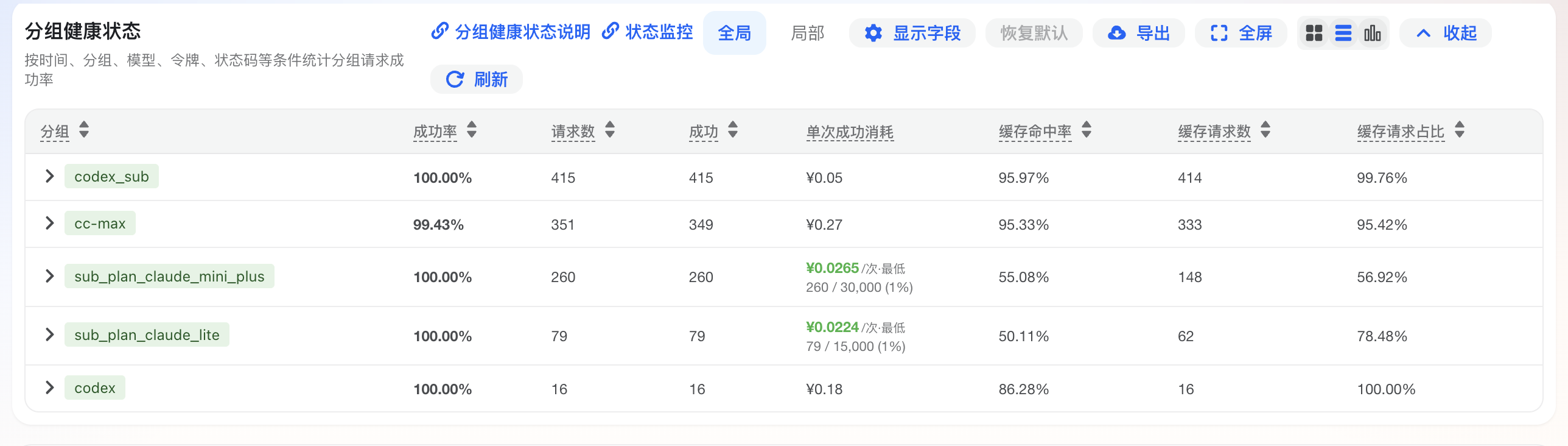
<p>下面是控制台 <strong>使用日志 → 分组健康状态</strong> 的示例截图，展示分组的成功率、请求数、消耗、缓存命中、平均耗时、最近请求时间和失败原因。</p>
<p><img src="/img/group-health.png" alt="控制台分组健康状态示例"></p>
<div class="tip custom-block"><p class="custom-block-title">使用原则</p>
<p>先判断影响范围，再处理单条错误。单条日志适合定位具体请求，分组健康状态适合判断问题是否集中发生。</p>
</div>
<p>需要解释单条错误消息时，请查看 <a href="/error-logs.html">错误日志说明</a>。</p>
<h2 id="列表展示字段" tabindex="-1">列表展示字段 <a class="header-anchor" href="#列表展示字段" aria-label="Permalink to &quot;列表展示字段&quot;">&ZeroWidthSpace;</a></h2>
<p>控制台列表和 CSV 导出的展示列保持一致。列表同时展示两类行：</p>
<ul>
<li><strong>分组行</strong>：汇总一个分组在当前时间范围内的整体健康状态。</li>
<li><strong>令牌行</strong>：展示某个分组下的用户和令牌明细，便于企业、团队管理员定位成员、项目或服务。</li>
</ul>
<p>| 展示字段 | 适用行 | 字段说明 | 使用建议 |
|</p>
]]></summary>
    </entry>
    <entry>
        <title type="html"><![CDATA[hermes]]></title>
        <id>https://www.aicentos.com/hermes</id>
        <link href="https://www.aicentos.com/hermes"/>
        <updated>2026-05-13T01:43:42.658Z</updated>
    </entry>
    <entry>
        <title type="html"><![CDATA[models]]></title>
        <id>https://www.aicentos.com/models</id>
        <link href="https://www.aicentos.com/models"/>
        <updated>2026-05-13T01:43:42.658Z</updated>
    </entry>
    <entry>
        <title type="html"><![CDATA[openclaw]]></title>
        <id>https://www.aicentos.com/openclaw</id>
        <link href="https://www.aicentos.com/openclaw"/>
        <updated>2026-05-13T01:43:42.658Z</updated>
        <summary type="html"><![CDATA[<h1 id="在-openclaw-中使用-aicentos" tabindex="-1">在 OpenClaw 中使用 aicentos <a class="header-anchor" href="#在-openclaw-中使用-aicentos" aria-label="Permalink to &quot;在 OpenClaw 中使用 aicentos&quot;">&ZeroWidthSpace;</a></h1>
<div class="info custom-block"><p class="custom-block-title">项目简介</p>
<p>OpenClaw 是一个开源、自托管的个人 AI 助手平台，将消息应用连接到运行在你自己硬件上的 AI Agent。专为希望在不放弃数据控制权的前提下使用自主 AI 助手的开发者和高级用户设计。</p>
<ul>
<li>官方网站：<a href="https://openclaw.ai" target="_blank" rel="noreferrer">https://openclaw.ai</a></li>
<li>文档：<a href="https://docs.openclaw.ai" target="_blank" rel="noreferrer">https://docs.openclaw.ai</a></li>
<li>GitHub：<a href="https://github.com/openclaw/openclaw" target="_blank" rel="noreferrer">https://github.com/openclaw/openclaw</a></li>
</ul>
</div>
<h2 id="前提条件" tabindex="-1">前提条件 <a class="header-anchor" href="#前提条件" aria-label="Permalink to &quot;前提条件&quot;">&ZeroWidthSpace;</a></h2>
<ul>
<li>已安装 OpenClaw（参考下方安装章节）</li>
<li>已获取 aicentos API Key（<a href="https://www.aicentos.com/console/token" target="_blank" rel="noreferrer">控制台获取</a>）</li>
</ul>
<h2 id="核心特性" tabindex="-1">核心特性 <a class="header-anchor" href="#核心特性" aria-label="Permalink to &quot;核心特性&quot;">&ZeroWidthSpace;</a></h2>
<h3 id="多渠道集成" tabindex="-1">多渠道集成 <a class="header-anchor" href="#多渠道集成" aria-label="Permalink to &quot;多渠道集成&quot;">&ZeroWidthSpace;</a></h3>
<ul>
<li><strong>全平台覆盖</strong>：支持飞书（Lark）、Discord、Slack、Microsoft Teams 等</li>
<li><strong>单一网关</strong>：通过单个 Gateway 进程管理所有渠道</li>
<li><strong>语音支持</strong>：支持 macOS/iOS/Android 语音交互</li>
<li><strong>画布界面</strong>：可渲染交互式 Canvas 界面</li>
</ul>
<h3 id="自托管与数据安全" tabindex="-1">自托管与数据安全 <a class="header-anchor" href="#自托管与数据安全" aria-label="Permalink to &quot;自托管与数据安全&quot;">&ZeroWidthSpace;</a></h3>
<ul>
<li><strong>完全自托管</strong>：运行在你自己的机器或服务器上</li>
<li><strong>开源</strong>：MIT 协议，代码完全透明</li>
<li><strong>本地数据存储</strong>：上下文与技能存储在本地，不上传云端</li>
</ul>
<h3 id="智能-agent-能力" tabindex="-1">智能 Agent 能力 <a class="header-anchor" href="#智能-agent-能力" aria-label="Permalink to &quot;智能 Agent 能力&quot;">&ZeroWidthSpace;</a></h3>
<ul>
<li><strong>持久运行</strong>：支持后台持久运行与持久记忆</li>
<li><strong>定时任务</strong>：支持 cron 定时任务</li>
<li><strong>会话隔离</strong>：按 Agent/工作区/发送者隔离会话</li>
<li><strong>多 Agent 路由</strong>：支持多 Agent 协作</li>
<li><strong>工具调用</strong>：原生支持工具调用与代码执行</li>
</ul>
<h2 id="安装" tabindex="-1">安装 <a class="header-anchor" href="#安装" aria-label="Permalink to &quot;安装&quot;">&ZeroWidthSpace;</a></h2>
<div class="info custom-block"><p class="custom-block-title">环境要求</p>
<ul>
<li>aicentos API Key</li>
<li>使用 npm/git 方式需要 Node.js 22+；curl 一键安装会自动处理依赖</li>
</ul>
</div>
<div class="vp-code-group vp-adaptive-theme"><div class="tabs"><input type="radio" name="group-MB7Cx" id="tab-HEZz1o4" checked><label data-title="curl（推荐）" for="tab-HEZz1o4">curl（推荐）</label><input type="radio" name="group-MB7Cx" id="tab-f2WzgBX" ><label data-title="npm" for="tab-f2WzgBX">npm</label><input type="radio" name="group-MB7Cx" id="tab-QkB3Fou" ><label data-title="curl（git 模式）" for="tab-QkB3Fou">curl（git 模式）</label><input type="radio" name="group-MB7Cx" id="tab-4RgnHY3" ><label data-title="手动克隆" for="tab-4RgnHY3">手动克隆</label></div><div class="blocks">
<div class="language-bash vp-adaptive-theme active"><button title="Copy Code" class="copy"></button><span class="lang">bash</span><pre class="shiki shiki-themes github-light github-dark vp-code" tabindex="0" v-pre=""><code><span class="line"><span style="--shiki-light:#6F42C1;--shiki-dark:#B392F0">curl</span><span style="--shiki-light:#005CC5;--shiki-dark:#79B8FF"> -fsSL</span><span style="--shiki-light:#032F62;--shiki-dark:#9ECBFF"> https://openclaw.ai/install.sh</span><span style="--shiki-light:#D73A49;--shiki-dark:#F97583"> |</span><span style="--shiki-light:#6F42C1;--shiki-dark:#B392F0"> bash</span></span></code></pre>
</div><div class="language-bash vp-adaptive-theme"><button title="Copy Code" class="copy"></button><span class="lang">bash</span><pre class="shiki shiki-themes github-light github-dark vp-code" tabindex="0" v-pre=""><code><span class="line"><span style="--shiki-light:#6F42C1;--shiki-dark:#B392F0">npm</span><span style="--shiki-light:#032F62;--shiki-dark:#9ECBFF"> install</span><span style="--shiki-light:#005CC5;--shiki-dark:#79B8FF"> -g</span><span style="--shiki-light:#032F62;--shiki-dark:#9ECBFF"> openclaw@latest</span></span></code></pre>
</div><div class="language-bash vp-adaptive-theme"><button title="Copy Code" class="copy"></button><span class="lang">bash</span><pre class="shiki shiki-themes github-light github-dark vp-code" tabindex="0" v-pre=""><code><span class="line"><span style="--shiki-light:#6F42C1;--shiki-dark:#B392F0">curl</span><span style="--shiki-light:#005CC5;--shiki-dark:#79B8FF"> -fsSL</span><span style="--shiki-light:#032F62;--shiki-dark:#9ECBFF"> https://openclaw.ai/install.sh</span><span style="--shiki-light:#D73A49;--shiki-dark:#F97583"> |</span><span style="--shiki-light:#6F42C1;--shiki-dark:#B392F0"> bash</span><span style="--shiki-light:#005CC5;--shiki-dark:#79B8FF"> -s</span><span style="--shiki-light:#005CC5;--shiki-dark:#79B8FF"> --</span><span style="--shiki-light:#005CC5;--shiki-dark:#79B8FF"> --install-method</span><span style="--shiki-light:#032F62;--shiki-dark:#9ECBFF"> git</span></span></code></pre>
</div><div class="language-bash vp-adaptive-theme"><button title="Copy Code" class="copy"></button><span class="lang">bash</span><pre class="shiki shiki-themes github-light github-dark vp-code" tabindex="0" v-pre=""><code><span class="line"><span style="--shiki-light:#6F42C1;--shiki-dark:#B392F0">git</span><span style="--shiki-light:#032F62;--shiki-dark:#9ECBFF"> clone</span><span style="--shiki-light:#032F62;--shiki-dark:#9ECBFF"> https://github.com/openclaw/openclaw.git</span></span>
<span class="line"><span style="--shiki-light:#005CC5;--shiki-dark:#79B8FF">cd</span><span style="--shiki-light:#032F62;--shiki-dark:#9ECBFF"> openclaw</span><span style="--shiki-light:#24292E;--shiki-dark:#E1E4E8"> &#x26;&#x26; </span><span style="--shiki-light:#6F42C1;--shiki-dark:#B392F0">pnpm</span><span style="--shiki-light:#032F62;--shiki-dark:#9ECBFF"> install</span><span style="--shiki-light:#24292E;--shiki-dark:#E1E4E8"> &#x26;&#x26; </span><span style="--shiki-light:#6F42C1;--shiki-dark:#B392F0">pnpm</span><span style="--shiki-light:#032F62;--shiki-dark:#9ECBFF"> run</span><span style="--shiki-light:#032F62;--shiki-dark:#9ECBFF"> build</span></span>
<span class="line"><span style="--shiki-light:#6F42C1;--shiki-dark:#B392F0">pnpm</span><span style="--shiki-light:#032F62;--shiki-dark:#9ECBFF"> run</span><span style="--shiki-light:#032F62;--shiki-dark:#9ECBFF"> openclaw</span><span style="--shiki-light:#032F62;--shiki-dark:#9ECBFF"> onboard</span></span></code></pre>
</div></div></div>
<p>安装完成后运行引导向导（手动克隆方式已在上方命令中包含）：</p>
<div class="language-bash vp-adaptive-theme"><button title="Copy Code" class="copy"></button><span class="lang">bash</span><pre class="shiki shiki-themes github-light github-dark vp-code" tabindex="0" v-pre=""><code><span class="line"><span style="--shiki-light:#6F42C1;--shiki-dark:#B392F0">openclaw</span><span style="--shiki-light:#032F62;--shiki-dark:#9ECBFF"> onboard</span></span></code></pre>
</div><h2 id="配置" tabindex="-1">配置 <a class="header-anchor" href="#配置" aria-label="Permalink to &quot;配置&quot;">&ZeroWidthSpace;</a></h2>
<h3 id="配置文件位置" tabindex="-1">配置文件位置 <a class="header-anchor" href="#配置文件位置" aria-label="Permalink to &quot;配置文件位置&quot;">&ZeroWidthSpace;</a></h3>
<p>OpenClaw 配置文件位于 <code>~/.openclaw/openclaw.json</code>：</p>
<ul>
<li><strong>macOS</strong>: <code>/Users/你的用户名/.openclaw/openclaw.json</code></li>
<li><strong>Linux</strong>: <code>/home/你的用户名/.openclaw/openclaw.json</code></li>
<li><strong>Windows</strong>: <code>C:\Users\你的用户名\.openclaw\openclaw.json</code></li>
</ul>
<p>如果文件不存在，请先创建：</p>
<div class="vp-code-group vp-adaptive-theme"><div class="tabs"><input type="radio" name="group-Wjq3L" id="tab-mO9EF5O" checked><label data-title="macOS / Linux" for="tab-mO9EF5O">macOS / Linux</label><input type="radio" name="group-Wjq3L" id="tab-CIDvL0K" ><label data-title="Windows (PowerShell)" for="tab-CIDvL0K">Windows (PowerShell)</label></div><div class="blocks">
<div class="language-bash vp-adaptive-theme active"><button title="Copy Code" class="copy"></button><span class="lang">bash</span><pre class="shiki shiki-themes github-light github-dark vp-code" tabindex="0" v-pre=""><code><span class="line"><span style="--shiki-light:#6F42C1;--shiki-dark:#B392F0">mkdir</span><span style="--shiki-light:#005CC5;--shiki-dark:#79B8FF"> -p</span><span style="--shiki-light:#032F62;--shiki-dark:#9ECBFF"> ~/.openclaw</span></span>
<span class="line"><span style="--shiki-light:#6F42C1;--shiki-dark:#B392F0">touch</span><span style="--shiki-light:#032F62;--shiki-dark:#9ECBFF"> ~/.openclaw/openclaw.json</span></span></code></pre>
</div><div class="language-powershell vp-adaptive-theme"><button title="Copy Code" class="copy"></button><span class="lang">powershell</span><pre class="shiki shiki-themes github-light github-dark vp-code" tabindex="0" v-pre=""><code><span class="line"><span style="--shiki-light:#005CC5;--shiki-dark:#79B8FF">New-Item</span><span style="--shiki-light:#D73A49;--shiki-dark:#F97583"> -</span><span style="--shiki-light:#24292E;--shiki-dark:#E1E4E8">ItemType Directory </span><span style="--shiki-light:#D73A49;--shiki-dark:#F97583">-</span><span style="--shiki-light:#24292E;--shiki-dark:#E1E4E8">Force </span><span style="--shiki-light:#D73A49;--shiki-dark:#F97583">-</span><span style="--shiki-light:#24292E;--shiki-dark:#E1E4E8">Path </span><span style="--shiki-light:#032F62;--shiki-dark:#9ECBFF">"</span><span style="--shiki-light:#24292E;--shiki-dark:#E1E4E8">$</span><span style="--shiki-light:#005CC5;--shiki-dark:#79B8FF">env:</span><span style="--shiki-light:#24292E;--shiki-dark:#E1E4E8">USERPROFILE</span><span style="--shiki-light:#032F62;--shiki-dark:#9ECBFF">\.openclaw"</span></span>
<span class="line"><span style="--shiki-light:#005CC5;--shiki-dark:#79B8FF">New-Item</span><span style="--shiki-light:#D73A49;--shiki-dark:#F97583"> -</span><span style="--shiki-light:#24292E;--shiki-dark:#E1E4E8">ItemType File </span><span style="--shiki-light:#D73A49;--shiki-dark:#F97583">-</span><span style="--shiki-light:#24292E;--shiki-dark:#E1E4E8">Force </span><span style="--shiki-light:#D73A49;--shiki-dark:#F97583">-</span><span style="--shiki-light:#24292E;--shiki-dark:#E1E4E8">Path </span><span style="--shiki-light:#032F62;--shiki-dark:#9ECBFF">"</span><span style="--shiki-light:#24292E;--shiki-dark:#E1E4E8">$</span><span style="--shiki-light:#005CC5;--shiki-dark:#79B8FF">env:</span><span style="--shiki-light:#24292E;--shiki-dark:#E1E4E8">USERPROFILE</span><span style="--shiki-light:#032F62;--shiki-dark:#9ECBFF">\.openclaw\openclaw.json"</span></span></code></pre>
</div></div></div>
<div class="tip custom-block"><p class="custom-block-title">提示</p>
<p>如果你之前运行过 <code>openclaw onboard</code>，配置文件会自动生成，只需在已有内容上修改即可。</p>
</div>
<h3 id="配置文件结构" tabindex="-1">配置文件结构 <a class="header-anchor" href="#配置文件结构" aria-label="Permalink to &quot;配置文件结构&quot;">&ZeroWidthSpace;</a></h3>
<p><code>openclaw.json</code> 的整体结构分为两大部分：</p>
<div class="language-json vp-adaptive-theme"><button title="Copy Code" class="copy"></button><span class="lang">json</span><pre class="shiki shiki-themes github-light github-dark vp-code" tabindex="0" v-pre=""><code><span class="line"><span style="--shiki-light:#24292E;--shiki-dark:#E1E4E8">{</span></span>
<span class="line"><span style="--shiki-light:#005CC5;--shiki-dark:#79B8FF">  "models"</span><span style="--shiki-light:#24292E;--shiki-dark:#E1E4E8">: {</span></span>
<span class="line"><span style="--shiki-light:#005CC5;--shiki-dark:#79B8FF">    "mode"</span><span style="--shiki-light:#24292E;--shiki-dark:#E1E4E8">: </span><span style="--shiki-light:#032F62;--shiki-dark:#9ECBFF">"merge"</span><span style="--shiki-light:#24292E;--shiki-dark:#E1E4E8">,</span></span>
<span class="line"><span style="--shiki-light:#005CC5;--shiki-dark:#79B8FF">    "providers"</span><span style="--shiki-light:#24292E;--shiki-dark:#E1E4E8">: {</span></span>
<span class="line"><span style="--shiki-light:#6A737D;--shiki-dark:#6A737D">      // 配置 AI 模型提供商</span></span>
<span class="line"><span style="--shiki-light:#24292E;--shiki-dark:#E1E4E8">    }</span></span>
<span class="line"><span style="--shiki-light:#24292E;--shiki-dark:#E1E4E8">  },</span></span>
<span class="line"><span style="--shiki-light:#005CC5;--shiki-dark:#79B8FF">  "agents"</span><span style="--shiki-light:#24292E;--shiki-dark:#E1E4E8">: {</span></span>
<span class="line"><span style="--shiki-light:#005CC5;--shiki-dark:#79B8FF">    "defaults"</span><span style="--shiki-light:#24292E;--shiki-dark:#E1E4E8">: {</span></span>
<span class="line"><span style="--shiki-light:#6A737D;--shiki-dark:#6A737D">      // 配置默认模型、工作目录等</span></span>
<span class="line"><span style="--shiki-light:#24292E;--shiki-dark:#E1E4E8">    }</span></span>
<span class="line"><span style="--shiki-light:#24292E;--shiki-dark:#E1E4E8">  }</span></span>
<span class="line"><span style="--shiki-light:#24292E;--shiki-dark:#E1E4E8">}</span></span></code></pre>
</div><ul>
<li><code>models.providers</code> — 定义服务提供商，包括地址、Key、模型列表</li>
<li><code>models.mode</code> — 设为 <code>&quot;merge&quot;</code> 时，自定义配置会与内置默认配置合并，<strong>强烈建议始终加上</strong></li>
<li><code>agents.defaults.model.primary</code> — 默认使用的模型，格式为 <code>provider名称/模型ID</code></li>
<li><code>api</code> — API 协议类型，Anthropic 模型用 <code>&quot;anthropic-messages&quot;</code>，OpenAI 兼容模型用 <code>&quot;openai-responses&quot;</code></li>
</ul>
<h3 id="配置方式" tabindex="-1">配置方式 <a class="header-anchor" href="#配置方式" aria-label="Permalink to &quot;配置方式&quot;">&ZeroWidthSpace;</a></h3>
<h4 id="配置-anthropic-claude-模型" tabindex="-1">配置 Anthropic（Claude）模型 <a class="header-anchor" href="#配置-anthropic-claude-模型" aria-label="Permalink to &quot;配置 Anthropic（Claude）模型&quot;">&ZeroWidthSpace;</a></h4>
<p>将以下内容写入 <code>openclaw.json</code>：</p>
<div class="language-json vp-adaptive-theme"><button title="Copy Code" class="copy"></button><span class="lang">json</span><pre class="shiki shiki-themes github-light github-dark vp-code" tabindex="0" v-pre=""><code><span class="line"><span style="--shiki-light:#24292E;--shiki-dark:#E1E4E8">{</span></span>
<span class="line"><span style="--shiki-light:#005CC5;--shiki-dark:#79B8FF">  "models"</span><span style="--shiki-light:#24292E;--shiki-dark:#E1E4E8">: {</span></span>
<span class="line"><span style="--shiki-light:#005CC5;--shiki-dark:#79B8FF">    "mode"</span><span style="--shiki-light:#24292E;--shiki-dark:#E1E4E8">: </span><span style="--shiki-light:#032F62;--shiki-dark:#9ECBFF">"merge"</span><span style="--shiki-light:#24292E;--shiki-dark:#E1E4E8">,</span></span>
<span class="line"><span style="--shiki-light:#005CC5;--shiki-dark:#79B8FF">    "providers"</span><span style="--shiki-light:#24292E;--shiki-dark:#E1E4E8">: {</span></span>
<span class="line"><span style="--shiki-light:#005CC5;--shiki-dark:#79B8FF">      "aicentos-anthropic"</span><span style="--shiki-light:#24292E;--shiki-dark:#E1E4E8">: {</span></span>
<span class="line"><span style="--shiki-light:#005CC5;--shiki-dark:#79B8FF">        "baseUrl"</span><span style="--shiki-light:#24292E;--shiki-dark:#E1E4E8">: </span><span style="--shiki-light:#032F62;--shiki-dark:#9ECBFF">"https://www.aicentos.com/"</span><span style="--shiki-light:#24292E;--shiki-dark:#E1E4E8">,</span></span>
<span class="line"><span style="--shiki-light:#005CC5;--shiki-dark:#79B8FF">        "apiKey"</span><span style="--shiki-light:#24292E;--shiki-dark:#E1E4E8">: </span><span style="--shiki-light:#032F62;--shiki-dark:#9ECBFF">"sk-你的Aicentos-Token"</span><span style="--shiki-light:#24292E;--shiki-dark:#E1E4E8">,</span></span>
<span class="line"><span style="--shiki-light:#005CC5;--shiki-dark:#79B8FF">        "api"</span><span style="--shiki-light:#24292E;--shiki-dark:#E1E4E8">: </span><span style="--shiki-light:#032F62;--shiki-dark:#9ECBFF">"anthropic-messages"</span><span style="--shiki-light:#24292E;--shiki-dark:#E1E4E8">,</span></span>
<span class="line"><span style="--shiki-light:#005CC5;--shiki-dark:#79B8FF">        "models"</span><span style="--shiki-light:#24292E;--shiki-dark:#E1E4E8">: [</span></span>
<span class="line"><span style="--shiki-light:#24292E;--shiki-dark:#E1E4E8">          {</span></span>
<span class="line"><span style="--shiki-light:#005CC5;--shiki-dark:#79B8FF">            "id"</span><span style="--shiki-light:#24292E;--shiki-dark:#E1E4E8">: </span><span style="--shiki-light:#032F62;--shiki-dark:#9ECBFF">"claude-opus-4-6"</span><span style="--shiki-light:#24292E;--shiki-dark:#E1E4E8">,</span></span>
<span class="line"><span style="--shiki-light:#005CC5;--shiki-dark:#79B8FF">            "name"</span><span style="--shiki-light:#24292E;--shiki-dark:#E1E4E8">: </span><span style="--shiki-light:#032F62;--shiki-dark:#9ECBFF">"Claude Opus 4.6"</span><span style="--shiki-light:#24292E;--shiki-dark:#E1E4E8">,</span></span>
<span class="line"><span style="--shiki-light:#005CC5;--shiki-dark:#79B8FF">            "input"</span><span style="--shiki-light:#24292E;--shiki-dark:#E1E4E8">: [</span><span style="--shiki-light:#032F62;--shiki-dark:#9ECBFF">"text"</span><span style="--shiki-light:#24292E;--shiki-dark:#E1E4E8">, </span><span style="--shiki-light:#032F62;--shiki-dark:#9ECBFF">"image"</span><span style="--shiki-light:#24292E;--shiki-dark:#E1E4E8">],</span></span>
<span class="line"><span style="--shiki-light:#005CC5;--shiki-dark:#79B8FF">            "contextWindow"</span><span style="--shiki-light:#24292E;--shiki-dark:#E1E4E8">: </span><span style="--shiki-light:#005CC5;--shiki-dark:#79B8FF">200000</span><span style="--shiki-light:#24292E;--shiki-dark:#E1E4E8">,</span></span>
<span class="line"><span style="--shiki-light:#005CC5;--shiki-dark:#79B8FF">            "maxTokens"</span><span style="--shiki-light:#24292E;--shiki-dark:#E1E4E8">: </span><span style="--shiki-light:#005CC5;--shiki-dark:#79B8FF">8192</span><span style="--shiki-light:#24292E;--shiki-dark:#E1E4E8">,</span></span>
<span class="line"><span style="--shiki-light:#005CC5;--shiki-dark:#79B8FF">            "reasoning"</span><span style="--shiki-light:#24292E;--shiki-dark:#E1E4E8">: </span><span style="--shiki-light:#005CC5;--shiki-dark:#79B8FF">false</span></span>
<span class="line"><span style="--shiki-light:#24292E;--shiki-dark:#E1E4E8">          }</span></span>
<span class="line"><span style="--shiki-light:#24292E;--shiki-dark:#E1E4E8">        ]</span></span>
<span class="line"><span style="--shiki-light:#24292E;--shiki-dark:#E1E4E8">      }</span></span>
<span class="line"><span style="--shiki-light:#24292E;--shiki-dark:#E1E4E8">    }</span></span>
<span class="line"><span style="--shiki-light:#24292E;--shiki-dark:#E1E4E8">  },</span></span>
<span class="line"><span style="--shiki-light:#005CC5;--shiki-dark:#79B8FF">  "agents"</span><span style="--shiki-light:#24292E;--shiki-dark:#E1E4E8">: {</span></span>
<span class="line"><span style="--shiki-light:#005CC5;--shiki-dark:#79B8FF">    "defaults"</span><span style="--shiki-light:#24292E;--shiki-dark:#E1E4E8">: {</span></span>
<span class="line"><span style="--shiki-light:#005CC5;--shiki-dark:#79B8FF">      "model"</span><span style="--shiki-light:#24292E;--shiki-dark:#E1E4E8">: {</span></span>
<span class="line"><span style="--shiki-light:#005CC5;--shiki-dark:#79B8FF">        "primary"</span><span style="--shiki-light:#24292E;--shiki-dark:#E1E4E8">: </span><span style="--shiki-light:#032F62;--shiki-dark:#9ECBFF">"aicentos-anthropic/claude-opus-4-6"</span></span>
<span class="line"><span style="--shiki-light:#24292E;--shiki-dark:#E1E4E8">      }</span></span>
<span class="line"><span style="--shiki-light:#24292E;--shiki-dark:#E1E4E8">    }</span></span>
<span class="line"><span style="--shiki-light:#24292E;--shiki-dark:#E1E4E8">  }</span></span>
<span class="line"><span style="--shiki-light:#24292E;--shiki-dark:#E1E4E8">}</span></span></code></pre>
</div><div class="warning custom-block"><p class="custom-block-title">重要</p>
<ul>
<li>请将 <code>sk-你的Aicentos-Token</code> 替换为你在 <a href="https://www.aicentos.com/console/token" target="_blank" rel="noreferrer">aicentos 控制台</a> 获取的实际 Token</li>
<li><strong>Anthropic 协议的 <code>baseUrl</code> 不要带 <code>/v1</code></strong>，SDK 会自动拼接路径</li>
</ul>
</div>
<h4 id="配置-openai-gpt-模型" tabindex="-1">配置 OpenAI（GPT）模型 <a class="header-anchor" href="#配置-openai-gpt-模型" aria-label="Permalink to &quot;配置 OpenAI（GPT）模型&quot;">&ZeroWidthSpace;</a></h4>
<p>通过 aicentos 调用 OpenAI 模型时，<code>api</code> 字段须设为 <code>openai-responses</code>：</p>
<div class="language-json vp-adaptive-theme"><button title="Copy Code" class="copy"></button><span class="lang">json</span><pre class="shiki shiki-themes github-light github-dark vp-code" tabindex="0" v-pre=""><code><span class="line"><span style="--shiki-light:#24292E;--shiki-dark:#E1E4E8">{</span></span>
<span class="line"><span style="--shiki-light:#005CC5;--shiki-dark:#79B8FF">  "models"</span><span style="--shiki-light:#24292E;--shiki-dark:#E1E4E8">: {</span></span>
<span class="line"><span style="--shiki-light:#005CC5;--shiki-dark:#79B8FF">    "mode"</span><span style="--shiki-light:#24292E;--shiki-dark:#E1E4E8">: </span><span style="--shiki-light:#032F62;--shiki-dark:#9ECBFF">"merge"</span><span style="--shiki-light:#24292E;--shiki-dark:#E1E4E8">,</span></span>
<span class="line"><span style="--shiki-light:#005CC5;--shiki-dark:#79B8FF">    "providers"</span><span style="--shiki-light:#24292E;--shiki-dark:#E1E4E8">: {</span></span>
<span class="line"><span style="--shiki-light:#005CC5;--shiki-dark:#79B8FF">      "aicentos-openai"</span><span style="--shiki-light:#24292E;--shiki-dark:#E1E4E8">: {</span></span>
<span class="line"><span style="--shiki-light:#005CC5;--shiki-dark:#79B8FF">        "baseUrl"</span><span style="--shiki-light:#24292E;--shiki-dark:#E1E4E8">: </span><span style="--shiki-light:#032F62;--shiki-dark:#9ECBFF">"https://www.aicentos.com/v1"</span><span style="--shiki-light:#24292E;--shiki-dark:#E1E4E8">,</span></span>
<span class="line"><span style="--shiki-light:#005CC5;--shiki-dark:#79B8FF">        "apiKey"</span><span style="--shiki-light:#24292E;--shiki-dark:#E1E4E8">: </span><span style="--shiki-light:#032F62;--shiki-dark:#9ECBFF">"sk-你的Aicentos-Token"</span><span style="--shiki-light:#24292E;--shiki-dark:#E1E4E8">,</span></span>
<span class="line"><span style="--shiki-light:#005CC5;--shiki-dark:#79B8FF">        "api"</span><span style="--shiki-light:#24292E;--shiki-dark:#E1E4E8">: </span><span style="--shiki-light:#032F62;--shiki-dark:#9ECBFF">"openai-responses"</span><span style="--shiki-light:#24292E;--shiki-dark:#E1E4E8">,</span></span>
<span class="line"><span style="--shiki-light:#005CC5;--shiki-dark:#79B8FF">        "models"</span><span style="--shiki-light:#24292E;--shiki-dark:#E1E4E8">: [</span></span>
<span class="line"><span style="--shiki-light:#24292E;--shiki-dark:#E1E4E8">          {</span></span>
<span class="line"><span style="--shiki-light:#005CC5;--shiki-dark:#79B8FF">            "id"</span><span style="--shiki-light:#24292E;--shiki-dark:#E1E4E8">: </span><span style="--shiki-light:#032F62;--shiki-dark:#9ECBFF">"gpt-5"</span><span style="--shiki-light:#24292E;--shiki-dark:#E1E4E8">,</span></span>
<span class="line"><span style="--shiki-light:#005CC5;--shiki-dark:#79B8FF">            "name"</span><span style="--shiki-light:#24292E;--shiki-dark:#E1E4E8">: </span><span style="--shiki-light:#032F62;--shiki-dark:#9ECBFF">"GPT-5"</span><span style="--shiki-light:#24292E;--shiki-dark:#E1E4E8">,</span></span>
<span class="line"><span style="--shiki-light:#005CC5;--shiki-dark:#79B8FF">            "input"</span><span style="--shiki-light:#24292E;--shiki-dark:#E1E4E8">: [</span><span style="--shiki-light:#032F62;--shiki-dark:#9ECBFF">"text"</span><span style="--shiki-light:#24292E;--shiki-dark:#E1E4E8">, </span><span style="--shiki-light:#032F62;--shiki-dark:#9ECBFF">"image"</span><span style="--shiki-light:#24292E;--shiki-dark:#E1E4E8">],</span></span>
<span class="line"><span style="--shiki-light:#005CC5;--shiki-dark:#79B8FF">            "contextWindow"</span><span style="--shiki-light:#24292E;--shiki-dark:#E1E4E8">: </span><span style="--shiki-light:#005CC5;--shiki-dark:#79B8FF">200000</span><span style="--shiki-light:#24292E;--shiki-dark:#E1E4E8">,</span></span>
<span class="line"><span style="--shiki-light:#005CC5;--shiki-dark:#79B8FF">            "maxTokens"</span><span style="--shiki-light:#24292E;--shiki-dark:#E1E4E8">: </span><span style="--shiki-light:#005CC5;--shiki-dark:#79B8FF">16384</span><span style="--shiki-light:#24292E;--shiki-dark:#E1E4E8">,</span></span>
<span class="line"><span style="--shiki-light:#005CC5;--shiki-dark:#79B8FF">            "reasoning"</span><span style="--shiki-light:#24292E;--shiki-dark:#E1E4E8">: </span><span style="--shiki-light:#005CC5;--shiki-dark:#79B8FF">true</span></span>
<span class="line"><span style="--shiki-light:#24292E;--shiki-dark:#E1E4E8">          }</span></span>
<span class="line"><span style="--shiki-light:#24292E;--shiki-dark:#E1E4E8">        ]</span></span>
<span class="line"><span style="--shiki-light:#24292E;--shiki-dark:#E1E4E8">      }</span></span>
<span class="line"><span style="--shiki-light:#24292E;--shiki-dark:#E1E4E8">    }</span></span>
<span class="line"><span style="--shiki-light:#24292E;--shiki-dark:#E1E4E8">  },</span></span>
<span class="line"><span style="--shiki-light:#005CC5;--shiki-dark:#79B8FF">  "agents"</span><span style="--shiki-light:#24292E;--shiki-dark:#E1E4E8">: {</span></span>
<span class="line"><span style="--shiki-light:#005CC5;--shiki-dark:#79B8FF">    "defaults"</span><span style="--shiki-light:#24292E;--shiki-dark:#E1E4E8">: {</span></span>
<span class="line"><span style="--shiki-light:#005CC5;--shiki-dark:#79B8FF">      "model"</span><span style="--shiki-light:#24292E;--shiki-dark:#E1E4E8">: {</span></span>
<span class="line"><span style="--shiki-light:#005CC5;--shiki-dark:#79B8FF">        "primary"</span><span style="--shiki-light:#24292E;--shiki-dark:#E1E4E8">: </span><span style="--shiki-light:#032F62;--shiki-dark:#9ECBFF">"aicentos-openai/gpt-5"</span></span>
<span class="line"><span style="--shiki-light:#24292E;--shiki-dark:#E1E4E8">      }</span></span>
<span class="line"><span style="--shiki-light:#24292E;--shiki-dark:#E1E4E8">    }</span></span>
<span class="line"><span style="--shiki-light:#24292E;--shiki-dark:#E1E4E8">  }</span></span>
<span class="line"><span style="--shiki-light:#24292E;--shiki-dark:#E1E4E8">}</span></span></code></pre>
</div><div class="tip custom-block"><p class="custom-block-title">提示</p>
<p><strong>OpenAI 协议需要带 <code>/v1</code></strong>，即 <code>https://www.aicentos.com/v1</code>。这是因为两种 SDK 的路径拼接逻辑不同。</p>
</div>
<h4 id="同时配置-anthropic-openai-推荐" tabindex="-1">同时配置 Anthropic + OpenAI（推荐） <a class="header-anchor" href="#同时配置-anthropic-openai-推荐" aria-label="Permalink to &quot;同时配置 Anthropic + OpenAI（推荐）&quot;">&ZeroWidthSpace;</a></h4>
<p>在 <code>models.providers</code> 下并列添加两个 provider，即可同时使用两家模型：</p>
<div class="language-json vp-adaptive-theme"><button title="Copy Code" class="copy"></button><span class="lang">json</span><pre class="shiki shiki-themes github-light github-dark vp-code" tabindex="0" v-pre=""><code><span class="line"><span style="--shiki-light:#24292E;--shiki-dark:#E1E4E8">{</span></span>
<span class="line"><span style="--shiki-light:#005CC5;--shiki-dark:#79B8FF">  "models"</span><span style="--shiki-light:#24292E;--shiki-dark:#E1E4E8">: {</span></span>
<span class="line"><span style="--shiki-light:#005CC5;--shiki-dark:#79B8FF">    "mode"</span><span style="--shiki-light:#24292E;--shiki-dark:#E1E4E8">: </span><span style="--shiki-light:#032F62;--shiki-dark:#9ECBFF">"merge"</span><span style="--shiki-light:#24292E;--shiki-dark:#E1E4E8">,</span></span>
<span class="line"><span style="--shiki-light:#005CC5;--shiki-dark:#79B8FF">    "providers"</span><span style="--shiki-light:#24292E;--shiki-dark:#E1E4E8">: {</span></span>
<span class="line"><span style="--shiki-light:#005CC5;--shiki-dark:#79B8FF">      "aicentos-anthropic"</span><span style="--shiki-light:#24292E;--shiki-dark:#E1E4E8">: {</span></span>
<span class="line"><span style="--shiki-light:#005CC5;--shiki-dark:#79B8FF">        "baseUrl"</span><span style="--shiki-light:#24292E;--shiki-dark:#E1E4E8">: </span><span style="--shiki-light:#032F62;--shiki-dark:#9ECBFF">"https://www.aicentos.com/"</span><span style="--shiki-light:#24292E;--shiki-dark:#E1E4E8">,</span></span>
<span class="line"><span style="--shiki-light:#005CC5;--shiki-dark:#79B8FF">        "apiKey"</span><span style="--shiki-light:#24292E;--shiki-dark:#E1E4E8">: </span><span style="--shiki-light:#032F62;--shiki-dark:#9ECBFF">"sk-你的Aicentos-Token"</span><span style="--shiki-light:#24292E;--shiki-dark:#E1E4E8">,</span></span>
<span class="line"><span style="--shiki-light:#005CC5;--shiki-dark:#79B8FF">        "api"</span><span style="--shiki-light:#24292E;--shiki-dark:#E1E4E8">: </span><span style="--shiki-light:#032F62;--shiki-dark:#9ECBFF">"anthropic-messages"</span><span style="--shiki-light:#24292E;--shiki-dark:#E1E4E8">,</span></span>
<span class="line"><span style="--shiki-light:#005CC5;--shiki-dark:#79B8FF">        "models"</span><span style="--shiki-light:#24292E;--shiki-dark:#E1E4E8">: [</span></span>
<span class="line"><span style="--shiki-light:#24292E;--shiki-dark:#E1E4E8">          {</span></span>
<span class="line"><span style="--shiki-light:#005CC5;--shiki-dark:#79B8FF">            "id"</span><span style="--shiki-light:#24292E;--shiki-dark:#E1E4E8">: </span><span style="--shiki-light:#032F62;--shiki-dark:#9ECBFF">"claude-opus-4-6"</span><span style="--shiki-light:#24292E;--shiki-dark:#E1E4E8">,</span></span>
<span class="line"><span style="--shiki-light:#005CC5;--shiki-dark:#79B8FF">            "name"</span><span style="--shiki-light:#24292E;--shiki-dark:#E1E4E8">: </span><span style="--shiki-light:#032F62;--shiki-dark:#9ECBFF">"Claude Opus 4.6"</span><span style="--shiki-light:#24292E;--shiki-dark:#E1E4E8">,</span></span>
<span class="line"><span style="--shiki-light:#005CC5;--shiki-dark:#79B8FF">            "input"</span><span style="--shiki-light:#24292E;--shiki-dark:#E1E4E8">: [</span><span style="--shiki-light:#032F62;--shiki-dark:#9ECBFF">"text"</span><span style="--shiki-light:#24292E;--shiki-dark:#E1E4E8">, </span><span style="--shiki-light:#032F62;--shiki-dark:#9ECBFF">"image"</span><span style="--shiki-light:#24292E;--shiki-dark:#E1E4E8">],</span></span>
<span class="line"><span style="--shiki-light:#005CC5;--shiki-dark:#79B8FF">            "contextWindow"</span><span style="--shiki-light:#24292E;--shiki-dark:#E1E4E8">: </span><span style="--shiki-light:#005CC5;--shiki-dark:#79B8FF">200000</span><span style="--shiki-light:#24292E;--shiki-dark:#E1E4E8">,</span></span>
<span class="line"><span style="--shiki-light:#005CC5;--shiki-dark:#79B8FF">            "maxTokens"</span><span style="--shiki-light:#24292E;--shiki-dark:#E1E4E8">: </span><span style="--shiki-light:#005CC5;--shiki-dark:#79B8FF">8192</span><span style="--shiki-light:#24292E;--shiki-dark:#E1E4E8">,</span></span>
<span class="line"><span style="--shiki-light:#005CC5;--shiki-dark:#79B8FF">            "reasoning"</span><span style="--shiki-light:#24292E;--shiki-dark:#E1E4E8">: </span><span style="--shiki-light:#005CC5;--shiki-dark:#79B8FF">false</span></span>
<span class="line"><span style="--shiki-light:#24292E;--shiki-dark:#E1E4E8">          },</span></span>
<span class="line"><span style="--shiki-light:#24292E;--shiki-dark:#E1E4E8">          {</span></span>
<span class="line"><span style="--shiki-light:#005CC5;--shiki-dark:#79B8FF">            "id"</span><span style="--shiki-light:#24292E;--shiki-dark:#E1E4E8">: </span><span style="--shiki-light:#032F62;--shiki-dark:#9ECBFF">"claude-sonnet-4-5-20250929"</span><span style="--shiki-light:#24292E;--shiki-dark:#E1E4E8">,</span></span>
<span class="line"><span style="--shiki-light:#005CC5;--shiki-dark:#79B8FF">            "name"</span><span style="--shiki-light:#24292E;--shiki-dark:#E1E4E8">: </span><span style="--shiki-light:#032F62;--shiki-dark:#9ECBFF">"Claude Sonnet 4.5"</span><span style="--shiki-light:#24292E;--shiki-dark:#E1E4E8">,</span></span>
<span class="line"><span style="--shiki-light:#005CC5;--shiki-dark:#79B8FF">            "input"</span><span style="--shiki-light:#24292E;--shiki-dark:#E1E4E8">: [</span><span style="--shiki-light:#032F62;--shiki-dark:#9ECBFF">"text"</span><span style="--shiki-light:#24292E;--shiki-dark:#E1E4E8">, </span><span style="--shiki-light:#032F62;--shiki-dark:#9ECBFF">"image"</span><span style="--shiki-light:#24292E;--shiki-dark:#E1E4E8">],</span></span>
<span class="line"><span style="--shiki-light:#005CC5;--shiki-dark:#79B8FF">            "contextWindow"</span><span style="--shiki-light:#24292E;--shiki-dark:#E1E4E8">: </span><span style="--shiki-light:#005CC5;--shiki-dark:#79B8FF">200000</span><span style="--shiki-light:#24292E;--shiki-dark:#E1E4E8">,</span></span>
<span class="line"><span style="--shiki-light:#005CC5;--shiki-dark:#79B8FF">            "maxTokens"</span><span style="--shiki-light:#24292E;--shiki-dark:#E1E4E8">: </span><span style="--shiki-light:#005CC5;--shiki-dark:#79B8FF">8192</span><span style="--shiki-light:#24292E;--shiki-dark:#E1E4E8">,</span></span>
<span class="line"><span style="--shiki-light:#005CC5;--shiki-dark:#79B8FF">            "reasoning"</span><span style="--shiki-light:#24292E;--shiki-dark:#E1E4E8">: </span><span style="--shiki-light:#005CC5;--shiki-dark:#79B8FF">false</span></span>
<span class="line"><span style="--shiki-light:#24292E;--shiki-dark:#E1E4E8">          }</span></span>
<span class="line"><span style="--shiki-light:#24292E;--shiki-dark:#E1E4E8">        ]</span></span>
<span class="line"><span style="--shiki-light:#24292E;--shiki-dark:#E1E4E8">      },</span></span>
<span class="line"><span style="--shiki-light:#005CC5;--shiki-dark:#79B8FF">      "aicentos-openai"</span><span style="--shiki-light:#24292E;--shiki-dark:#E1E4E8">: {</span></span>
<span class="line"><span style="--shiki-light:#005CC5;--shiki-dark:#79B8FF">        "baseUrl"</span><span style="--shiki-light:#24292E;--shiki-dark:#E1E4E8">: </span><span style="--shiki-light:#032F62;--shiki-dark:#9ECBFF">"https://www.aicentos.com/v1"</span><span style="--shiki-light:#24292E;--shiki-dark:#E1E4E8">,</span></span>
<span class="line"><span style="--shiki-light:#005CC5;--shiki-dark:#79B8FF">        "apiKey"</span><span style="--shiki-light:#24292E;--shiki-dark:#E1E4E8">: </span><span style="--shiki-light:#032F62;--shiki-dark:#9ECBFF">"sk-你的Aicentos-Token"</span><span style="--shiki-light:#24292E;--shiki-dark:#E1E4E8">,</span></span>
<span class="line"><span style="--shiki-light:#005CC5;--shiki-dark:#79B8FF">        "api"</span><span style="--shiki-light:#24292E;--shiki-dark:#E1E4E8">: </span><span style="--shiki-light:#032F62;--shiki-dark:#9ECBFF">"openai-responses"</span><span style="--shiki-light:#24292E;--shiki-dark:#E1E4E8">,</span></span>
<span class="line"><span style="--shiki-light:#005CC5;--shiki-dark:#79B8FF">        "models"</span><span style="--shiki-light:#24292E;--shiki-dark:#E1E4E8">: [</span></span>
<span class="line"><span style="--shiki-light:#24292E;--shiki-dark:#E1E4E8">          {</span></span>
<span class="line"><span style="--shiki-light:#005CC5;--shiki-dark:#79B8FF">            "id"</span><span style="--shiki-light:#24292E;--shiki-dark:#E1E4E8">: </span><span style="--shiki-light:#032F62;--shiki-dark:#9ECBFF">"gpt-5"</span><span style="--shiki-light:#24292E;--shiki-dark:#E1E4E8">,</span></span>
<span class="line"><span style="--shiki-light:#005CC5;--shiki-dark:#79B8FF">            "name"</span><span style="--shiki-light:#24292E;--shiki-dark:#E1E4E8">: </span><span style="--shiki-light:#032F62;--shiki-dark:#9ECBFF">"GPT-5"</span><span style="--shiki-light:#24292E;--shiki-dark:#E1E4E8">,</span></span>
<span class="line"><span style="--shiki-light:#005CC5;--shiki-dark:#79B8FF">            "input"</span><span style="--shiki-light:#24292E;--shiki-dark:#E1E4E8">: [</span><span style="--shiki-light:#032F62;--shiki-dark:#9ECBFF">"text"</span><span style="--shiki-light:#24292E;--shiki-dark:#E1E4E8">, </span><span style="--shiki-light:#032F62;--shiki-dark:#9ECBFF">"image"</span><span style="--shiki-light:#24292E;--shiki-dark:#E1E4E8">],</span></span>
<span class="line"><span style="--shiki-light:#005CC5;--shiki-dark:#79B8FF">            "contextWindow"</span><span style="--shiki-light:#24292E;--shiki-dark:#E1E4E8">: </span><span style="--shiki-light:#005CC5;--shiki-dark:#79B8FF">200000</span><span style="--shiki-light:#24292E;--shiki-dark:#E1E4E8">,</span></span>
<span class="line"><span style="--shiki-light:#005CC5;--shiki-dark:#79B8FF">            "maxTokens"</span><span style="--shiki-light:#24292E;--shiki-dark:#E1E4E8">: </span><span style="--shiki-light:#005CC5;--shiki-dark:#79B8FF">16384</span><span style="--shiki-light:#24292E;--shiki-dark:#E1E4E8">,</span></span>
<span class="line"><span style="--shiki-light:#005CC5;--shiki-dark:#79B8FF">            "reasoning"</span><span style="--shiki-light:#24292E;--shiki-dark:#E1E4E8">: </span><span style="--shiki-light:#005CC5;--shiki-dark:#79B8FF">true</span></span>
<span class="line"><span style="--shiki-light:#24292E;--shiki-dark:#E1E4E8">          },</span></span>
<span class="line"><span style="--shiki-light:#24292E;--shiki-dark:#E1E4E8">          {</span></span>
<span class="line"><span style="--shiki-light:#005CC5;--shiki-dark:#79B8FF">            "id"</span><span style="--shiki-light:#24292E;--shiki-dark:#E1E4E8">: </span><span style="--shiki-light:#032F62;--shiki-dark:#9ECBFF">"gpt-5-codex"</span><span style="--shiki-light:#24292E;--shiki-dark:#E1E4E8">,</span></span>
<span class="line"><span style="--shiki-light:#005CC5;--shiki-dark:#79B8FF">            "name"</span><span style="--shiki-light:#24292E;--shiki-dark:#E1E4E8">: </span><span style="--shiki-light:#032F62;--shiki-dark:#9ECBFF">"GPT-5 Codex"</span><span style="--shiki-light:#24292E;--shiki-dark:#E1E4E8">,</span></span>
<span class="line"><span style="--shiki-light:#005CC5;--shiki-dark:#79B8FF">            "input"</span><span style="--shiki-light:#24292E;--shiki-dark:#E1E4E8">: [</span><span style="--shiki-light:#032F62;--shiki-dark:#9ECBFF">"text"</span><span style="--shiki-light:#24292E;--shiki-dark:#E1E4E8">, </span><span style="--shiki-light:#032F62;--shiki-dark:#9ECBFF">"image"</span><span style="--shiki-light:#24292E;--shiki-dark:#E1E4E8">],</span></span>
<span class="line"><span style="--shiki-light:#005CC5;--shiki-dark:#79B8FF">            "contextWindow"</span><span style="--shiki-light:#24292E;--shiki-dark:#E1E4E8">: </span><span style="--shiki-light:#005CC5;--shiki-dark:#79B8FF">200000</span><span style="--shiki-light:#24292E;--shiki-dark:#E1E4E8">,</span></span>
<span class="line"><span style="--shiki-light:#005CC5;--shiki-dark:#79B8FF">            "maxTokens"</span><span style="--shiki-light:#24292E;--shiki-dark:#E1E4E8">: </span><span style="--shiki-light:#005CC5;--shiki-dark:#79B8FF">16384</span><span style="--shiki-light:#24292E;--shiki-dark:#E1E4E8">,</span></span>
<span class="line"><span style="--shiki-light:#005CC5;--shiki-dark:#79B8FF">            "reasoning"</span><span style="--shiki-light:#24292E;--shiki-dark:#E1E4E8">: </span><span style="--shiki-light:#005CC5;--shiki-dark:#79B8FF">true</span></span>
<span class="line"><span style="--shiki-light:#24292E;--shiki-dark:#E1E4E8">          }</span></span>
<span class="line"><span style="--shiki-light:#24292E;--shiki-dark:#E1E4E8">        ]</span></span>
<span class="line"><span style="--shiki-light:#24292E;--shiki-dark:#E1E4E8">      }</span></span>
<span class="line"><span style="--shiki-light:#24292E;--shiki-dark:#E1E4E8">    }</span></span>
<span class="line"><span style="--shiki-light:#24292E;--shiki-dark:#E1E4E8">  },</span></span>
<span class="line"><span style="--shiki-light:#005CC5;--shiki-dark:#79B8FF">  "agents"</span><span style="--shiki-light:#24292E;--shiki-dark:#E1E4E8">: {</span></span>
<span class="line"><span style="--shiki-light:#005CC5;--shiki-dark:#79B8FF">    "defaults"</span><span style="--shiki-light:#24292E;--shiki-dark:#E1E4E8">: {</span></span>
<span class="line"><span style="--shiki-light:#005CC5;--shiki-dark:#79B8FF">      "model"</span><span style="--shiki-light:#24292E;--shiki-dark:#E1E4E8">: {</span></span>
<span class="line"><span style="--shiki-light:#005CC5;--shiki-dark:#79B8FF">        "primary"</span><span style="--shiki-light:#24292E;--shiki-dark:#E1E4E8">: </span><span style="--shiki-light:#032F62;--shiki-dark:#9ECBFF">"aicentos-anthropic/claude-opus-4-6"</span><span style="--shiki-light:#24292E;--shiki-dark:#E1E4E8">,</span></span>
<span class="line"><span style="--shiki-light:#005CC5;--shiki-dark:#79B8FF">        "fallbacks"</span><span style="--shiki-light:#24292E;--shiki-dark:#E1E4E8">: [</span></span>
<span class="line"><span style="--shiki-light:#032F62;--shiki-dark:#9ECBFF">          "aicentos-anthropic/claude-sonnet-4-5-20250929"</span><span style="--shiki-light:#24292E;--shiki-dark:#E1E4E8">,</span></span>
<span class="line"><span style="--shiki-light:#032F62;--shiki-dark:#9ECBFF">          "aicentos-openai/gpt-5"</span></span>
<span class="line"><span style="--shiki-light:#24292E;--shiki-dark:#E1E4E8">        ]</span></span>
<span class="line"><span style="--shiki-light:#24292E;--shiki-dark:#E1E4E8">      }</span></span>
<span class="line"><span style="--shiki-light:#24292E;--shiki-dark:#E1E4E8">    }</span></span>
<span class="line"><span style="--shiki-light:#24292E;--shiki-dark:#E1E4E8">  }</span></span>
<span class="line"><span style="--shiki-light:#24292E;--shiki-dark:#E1E4E8">}</span></span></code></pre>
</div><p>切换默认模型时，只需修改 <code>model.primary</code> 的值：</p>
<ul>
<li><code>&quot;aicentos-anthropic/claude-opus-4-6&quot;</code> → Claude Opus 4.6</li>
<li><code>&quot;aicentos-anthropic/claude-sonnet-4-5-20250929&quot;</code> → Claude Sonnet 4.5</li>
<li><code>&quot;aicentos-openai/gpt-5&quot;</code> → GPT-5</li>
<li><code>&quot;aicentos-openai/gpt-5-codex&quot;</code> → GPT-5 Codex</li>
</ul>
<h3 id="关键字段说明" tabindex="-1">关键字段说明 <a class="header-anchor" href="#关键字段说明" aria-label="Permalink to &quot;关键字段说明&quot;">&ZeroWidthSpace;</a></h3>
<p>| 字段 | 含义 | Anthropic（Claude） | OpenAI（GPT） |
|</p>
]]></summary>
    </entry>
    <entry>
        <title type="html"><![CDATA[opencode]]></title>
        <id>https://www.aicentos.com/opencode</id>
        <link href="https://www.aicentos.com/opencode"/>
        <updated>2026-05-13T01:43:42.658Z</updated>
    </entry>
    <entry>
        <title type="html"><![CDATA[platform]]></title>
        <id>https://www.aicentos.com/platform</id>
        <link href="https://www.aicentos.com/platform"/>
        <updated>2026-05-13T01:43:42.658Z</updated>
        <summary type="html"><![CDATA[<h1 id="平台导航与系统说明" tabindex="-1">平台导航与系统说明 <a class="header-anchor" href="#平台导航与系统说明" aria-label="Permalink to &quot;平台导航与系统说明&quot;">&ZeroWidthSpace;</a></h1>
<blockquote>
<p>本页面介绍 aicentos 的整体平台结构，帮助你快速定位所需功能。
需要注册账号？请查看 <a href="/account.html">账户注册与管理</a>。</p>
</blockquote>
<h2 id="一、平台概述" tabindex="-1">一、平台概述 <a class="header-anchor" href="#一、平台概述" aria-label="Permalink to &quot;一、平台概述&quot;">&ZeroWidthSpace;</a></h2>
<p>aicentos 是一个面向开发者和团队使用的 АI 接入平台。你可以把它理解成一个统一入口：前面是官网、定价和文档，后面是控制台、令牌、充值、发票和使用记录。</p>
<p>平台围绕主流 AI 模型提供中转服务，具体渠道和模型以官网实际为准，请前往 <a href="https://www.aicentos.com/pricing" target="_blank" rel="noreferrer">定价页</a> 查看。用户从注册开始，到创建令牌、选择套餐、接入工具、查看消耗，整套流程都在同一个系统里完成。</p>
]]></summary>
    </entry>
    <entry>
        <title type="html"><![CDATA[privacy]]></title>
        <id>https://www.aicentos.com/privacy</id>
        <link href="https://www.aicentos.com/privacy"/>
        <updated>2026-05-13T01:43:42.658Z</updated>
        <summary type="html"><![CDATA[<h1 id="aicentos-隐私政策" tabindex="-1">aicentos 隐私政策 <a class="header-anchor" href="#aicentos-隐私政策" aria-label="Permalink to &quot;aicentos 隐私政策&quot;">&ZeroWidthSpace;</a></h1>
<p><strong>生效日期：2026年2月11日</strong></p>
<p>aicentos 严格遵守《中华人民共和国个人信息保护法》、《网络安全法》、《数据安全法》及相关法律法规。</p>
<h2 id="一、我们收集哪些信息及用途" tabindex="-1">一、我们收集哪些信息及用途 <a class="header-anchor" href="#一、我们收集哪些信息及用途" aria-label="Permalink to &quot;一、我们收集哪些信息及用途&quot;">&ZeroWidthSpace;</a></h2>
<p>| 场景 | 收集内容 | 用途 |
|</p>
]]></summary>
    </entry>
    <entry>
        <title type="html"><![CDATA[qwencode]]></title>
        <id>https://www.aicentos.com/qwencode</id>
        <link href="https://www.aicentos.com/qwencode"/>
        <updated>2026-05-13T01:43:42.658Z</updated>
    </entry>
    <entry>
        <title type="html"><![CDATA[refund]]></title>
        <id>https://www.aicentos.com/refund</id>
        <link href="https://www.aicentos.com/refund"/>
        <updated>2026-05-13T01:43:42.658Z</updated>
    </entry>
    <entry>
        <title type="html"><![CDATA[roocode]]></title>
        <id>https://www.aicentos.com/roocode</id>
        <link href="https://www.aicentos.com/roocode"/>
        <updated>2026-05-13T01:43:42.658Z</updated>
        <summary type="html"><![CDATA[<h1 id="在-roocode-中使用-aicentos" tabindex="-1">在 RooCode 中使用 aicentos <a class="header-anchor" href="#在-roocode-中使用-aicentos" aria-label="Permalink to &quot;在 RooCode 中使用 aicentos&quot;">&ZeroWidthSpace;</a></h1>
<h2 id="在-vscode-中安装-roocode" tabindex="-1">在 VSCode 中安装 RooCode <a class="header-anchor" href="#在-vscode-中安装-roocode" aria-label="Permalink to &quot;在 VSCode 中安装 RooCode&quot;">&ZeroWidthSpace;</a></h2>
<ol>
<li>在 VSCode 中搜索 <a href="https://marketplace.visualstudio.com/items?itemName=RooVeterinaryInc.roo-cline" target="_blank" rel="noreferrer">RooCode</a> 并安装</li>
<li>访问 <a href="https://www.aicentos.com/console/token" target="_blank" rel="noreferrer">aicentos</a> 获取你的 API Key</li>
</ol>
<h2 id="新增提供商" tabindex="-1">新增提供商 <a class="header-anchor" href="#新增提供商" aria-label="Permalink to &quot;新增提供商&quot;">&ZeroWidthSpace;</a></h2>
<p>完成 RooCode 安装后，打开 RooCode，选择配置提供商，新增一个 OpenAI Compatible 的供应商：</p>
<p>| 配置项 | 值 |
|</p>
]]></summary>
    </entry>
    <entry>
        <title type="html"><![CDATA[在 Claude Code 中使用 aicentos]]></title>
        <id>https://www.aicentos.com/start</id>
        <link href="https://www.aicentos.com/start"/>
        <updated>2026-05-13T01:43:42.658Z</updated>
        <summary type="html"><![CDATA[<h1 id="在-claude-code-中使用-aicentos" tabindex="-1">在 Claude  Code 中使用 aicentos <a class="header-anchor" href="#在-claude-code-中使用-aicentos" aria-label="Permalink to &quot;在 Claude  Code 中使用 aicentos&quot;">&ZeroWidthSpace;</a></h1>
<blockquote>
<p>首次使用？请先完成 <a href="/account.html">账户注册与充值</a>。</p>
</blockquote>
<h2 id="一、环境准备" tabindex="-1">一、环境准备 <a class="header-anchor" href="#一、环境准备" aria-label="Permalink to &quot;一、环境准备&quot;">&ZeroWidthSpace;</a></h2>
<h3 id="安装-node-js" tabindex="-1">安装 Node.js <a class="header-anchor" href="#安装-node-js" aria-label="Permalink to &quot;安装 Node.js&quot;">&ZeroWidthSpace;</a></h3>
<p>Claude  Code 通过 npm 安装，需先确认 Node.js 已就绪。</p>
<div class="vp-code-group vp-adaptive-theme"><div class="tabs"><input type="radio" name="group-Raas8" id="tab-7CYvs-n" checked><label data-title="macOS - 验证" for="tab-7CYvs-n">macOS - 验证</label><input type="radio" name="group-Raas8" id="tab-cRU7khE" ><label data-title="macOS - Homebrew 安装" for="tab-cRU7khE">macOS - Homebrew 安装</label><input type="radio" name="group-Raas8" id="tab-AMCGEKK" ><label data-title="Windows - 验证（CMD/PowerShell）" for="tab-AMCGEKK">Windows - 验证（CMD/PowerShell）</label></div><div class="blocks">
<div class="language-bash vp-adaptive-theme active"><button title="Copy Code" class="copy"></button><span class="lang">bash</span><pre class="shiki shiki-themes github-light github-dark vp-code" tabindex="0" v-pre=""><code><span class="line"><span style="--shiki-light:#6F42C1;--shiki-dark:#B392F0">node</span><span style="--shiki-light:#005CC5;--shiki-dark:#79B8FF"> -v</span></span>
<span class="line"><span style="--shiki-light:#6F42C1;--shiki-dark:#B392F0">npm</span><span style="--shiki-light:#005CC5;--shiki-dark:#79B8FF"> -v</span></span></code></pre>
</div><div class="language-bash vp-adaptive-theme"><button title="Copy Code" class="copy"></button><span class="lang">bash</span><pre class="shiki shiki-themes github-light github-dark vp-code" tabindex="0" v-pre=""><code><span class="line"><span style="--shiki-light:#6F42C1;--shiki-dark:#B392F0">brew</span><span style="--shiki-light:#032F62;--shiki-dark:#9ECBFF"> install</span><span style="--shiki-light:#032F62;--shiki-dark:#9ECBFF"> node</span></span></code></pre>
</div><div class="language-bash vp-adaptive-theme"><button title="Copy Code" class="copy"></button><span class="lang">bash</span><pre class="shiki shiki-themes github-light github-dark vp-code" tabindex="0" v-pre=""><code><span class="line"><span style="--shiki-light:#6F42C1;--shiki-dark:#B392F0">node</span><span style="--shiki-light:#005CC5;--shiki-dark:#79B8FF"> -v</span></span>
<span class="line"><span style="--shiki-light:#6F42C1;--shiki-dark:#B392F0">npm</span><span style="--shiki-light:#005CC5;--shiki-dark:#79B8FF"> -v</span></span></code></pre>
</div></div></div>
<p>若未安装，前往 <a href="https://nodejs.cn/download/current/" target="_blank" rel="noreferrer">nodejs.org/zh-cn/download</a> 下载对应平台安装包，安装完成后 <strong>Windows 需重启</strong>。</p>
<h3 id="windows-额外-安装-git-bash" tabindex="-1">Windows 额外：安装 Git Bash <a class="header-anchor" href="#windows-额外-安装-git-bash" aria-label="Permalink to &quot;Windows 额外：安装 Git Bash&quot;">&ZeroWidthSpace;</a></h3>
<p>Claude  Code 依赖 bash 运行环境，Windows 用户需安装 Git Bash：</p>
<ol>
<li>下载地址：<a href="https://git-scm.com/install" target="_blank" rel="noreferrer">git-scm.com/install/windows</a>，选择对应版本安装。</li>
<li>验证：右键桌面，出现 <strong>Open Git Bash here</strong> 选项即安装成功。</li>
</ol>
]]></summary>
    </entry>
    <entry>
        <title type="html"><![CDATA[terms]]></title>
        <id>https://www.aicentos.com/terms</id>
        <link href="https://www.aicentos.com/terms"/>
        <updated>2026-05-13T01:43:42.658Z</updated>
        <summary type="html"><![CDATA[<h1 id="aicentos-服务条款" tabindex="-1">aicentos 服务条款 <a class="header-anchor" href="#aicentos-服务条款" aria-label="Permalink to &quot;aicentos 服务条款&quot;">&ZeroWidthSpace;</a></h1>
<p><strong>生效日期：2026年2月11日</strong></p>
<div class="warning custom-block"><p class="custom-block-title">重要提示</p>
<p>请您务必审慎阅读、充分理解本协议各条款内容，特别是以加粗形式标注的条款。如果您不同意本协议的任何内容，应立即停止注册或使用我们的服务。您一旦点击&quot;同意&quot;或通过创建账户、购买积分、集成API等方式实际使用服务，即视为已阅读并完全同意接受本协议所有条款的约束。</p>
</div>
<h2 id="_1-总则" tabindex="-1">1. 总则 <a class="header-anchor" href="#_1-总则" aria-label="Permalink to &quot;1. 总则&quot;">&ZeroWidthSpace;</a></h2>
<p>本协议由使用 aicentos API 聚合平台（以下简称&quot;提供方&quot;、&quot;aicentos&quot;或&quot;公司&quot;）服务的实体或个人（以下简称&quot;用户&quot;或&quot;您&quot;）与 aicentos 共同缔结。本协议包括协议正文、隐私政策及其他相关政策和公告。<strong>您承诺具备完全民事行为能力（年满十八周岁）以订立本协议。若您代表某一法律实体，须保证拥有充分授权。</strong></p>
<h2 id="_2-定义" tabindex="-1">2. 定义 <a class="header-anchor" href="#_2-定义" aria-label="Permalink to &quot;2. 定义&quot;">&ZeroWidthSpace;</a></h2>
<p>| 术语 | 含义 |
|</p>
]]></summary>
    </entry>
    <entry>
        <title type="html"><![CDATA[zcf]]></title>
        <id>https://www.aicentos.com/zcf</id>
        <link href="https://www.aicentos.com/zcf"/>
        <updated>2026-05-13T01:43:42.658Z</updated>
        <summary type="html"><![CDATA[<h1 id="zcf-教程" tabindex="-1">ZCF 教程 <a class="header-anchor" href="#zcf-教程" aria-label="Permalink to &quot;ZCF 教程&quot;">&ZeroWidthSpace;</a></h1>
<p><a href="https://github.com/UfoMiao/zcf" target="_blank" rel="noreferrer">ZCF</a> 是 Claude  Code / Codex 的零配置增强工具，<code>zcf init</code> 一条命令完成 API 配置、工作流导入、MCP 服务集成等全部初始化。</p>
<blockquote>
<p>没有账号？先完成 <a href="/account.html">账户注册</a> 获取 API Key。</p>
</blockquote>
]]></summary>
    </entry>
</feed>